Smartflo

Tata Smartflo: cloud communication / cloud telephony Service and Solution Provider in India – Bangalore and Chennai for Price/Cost Tariff Plans Call: 9739091119

Smartflo is Tata Tele Business Services’ cloud-based Contact Center as a Service (CCaaS) platform designed to help businesses deliver seamless customer engagement across multiple communication channels.


Smartflo is a cloud-based communication suite that helps businesses handle customer interactions across voice, SMS, WhatsApp, and digital channels without heavy hardware setup.

It’s basically a virtual contact center and cloud telephony solution, accessible via internet or mobile, that replaces traditional PBX/EPABX systems.

Benefits of Using Cloud Communication

Customized Comprehensive Dashboard

Smart Call Flow Strategy for Agents

Intelligent All-time Customer Call Routing

Privacy and Protection for Agents and Clients

Intelligent Assistant and Sticky Agents for Customers

CRM-Integrated Contact Management

Cloud Communication Reimagined

Your turn to flow forward with a multi-modal, multi-functional, flexible, scalable, and secure solution that ensures digital connectivity and productivity at all times. Brace for a business world without boundaries.

Smartflo CCaaS: A Tata TeleServices platform offering omnichannel contact-center‑as‑a‑service (voice, email, WhatsApp, SMS, video), with intelligent call routing, real-time monitoring, analytics dashboards, CRM integration, and 24/7 support

Smartflo UCaaS: A unified communications solution enabling voice, text, video conferencing integration—fully integrated with Microsoft Teams—aimed at hybrid-office environments

Smartflo Call Management App: Android version: Helps track business incoming/outgoing call logs, click‑to‑call features, and active call monitoring

iOS version: Similar functionality available for iPhone users as of May

1. Smartflo (Tata Tele Business Services)

  • Cloud Telephony + Contact Center Suite
    • Includes IVR, intelligent call routing, real-time analytics, live agent monitoring, sentiment analysis, voice‑to‑text, API/CRM integration, click‑to‑call, missed‑call campaigns, voice broadcasting, and call recording.
  • Deployment & Support
    • Zero installation charges, 99.5–99.99% uptime SLA, fully managed by TTBS, scalable on-demand.
  • Microsoft Teams Integration
    • Operator Connect integration enables PSTN calling within Teams, with roaming inside India, direct peering to Microsoft Cloud for better quality.

🔹 2. Tata Communications Cloud Calling & SIP Trunking

  • Jamvee App
    • A cloud voice + messaging app for enterprises, enabling CUG, voice recording, roaming, and secure/fraud-compliant communication.
  • GlobalRapide Cloud Number & Global SIP Trunks
    • Cloud-based global/local phone numbers, SIP trunk service for inbound/outbound calling, worldwide voice infrastructure, fraud detection, CRM/UC integration.
  • Cisco Webex & Cisco-Hosted Calling
    • Fully managed calling service powered by Cisco, integrated with Webex or on-prem endpoints; global PSTN in 240+ countries, 25+ country calling plans, user self-service portal.

🚀 Key Features

  • Omnichannel Communication: Integrates voice, WhatsApp, email, SMS, and video for unified customer interaction.
  • Intelligent Call Routing: Automatically connects customers to the right agent or department in real time.
  • Advanced Reporting & Analytics: Offers actionable insights into contact center performance.
  • Interactive Voice Response (IVR): Automates call handling for faster resolutions.
  • AI-Powered Assistance: Uses machine learning for intelligent predictions and insights.
  • Real-Time Monitoring: Tracks agent performance and call quality.
  • Cloud-Based Scalability: Easily adapts to growing business needs.
  • CRM Integration: Seamlessly connects with leading CRM platforms.
  • Self-Service Options: Enables customers to resolve queries independently.
  • 24/7 Support: Ensures uninterrupted operations.

🔹 What is Smartflo?

Smartflo is a cloud-based communication suite that helps businesses handle customer interactions across voice, SMS, WhatsApp, and digital channels without heavy hardware setup.

It’s basically a virtual contact center and cloud telephony solution, accessible via internet or mobile, that replaces traditional PBX/EPABX systems.

🏢 Ideal For

  • Customer support teams
  • Sales and service centers
  • Remote and hybrid workforces
  • Businesses seeking digital transformation

Smartflo by Tata Tele Business Services (TTBS) starts at around $24 (approx. ₹2,000) per channel per month, with flexible tariff plans depending on the number of users, channels, and features required. Pricing scales based on whether you need UCaaS (Unified Communications as a Service) or CCaaS (Contact Center as a Service) solutions.

💰 Smartflo Pricing & Tariff Plans

1. Base Pricing

  • Starting Price: $24 / ₹2,000 per channel per month
  • Channel-based model: You pay per communication channel (voice, SMS, WhatsApp, etc.), making it scalable for small and large businesses.

2. UCaaS (Unified Communications as a Service)

  • Integrates with Microsoft Teams for seamless calling.
  • Eliminates traditional voice infrastructure, reducing costs.
  • Suitable for businesses needing internal collaboration + external calling

3. CCaaS (Contact Center as a Service)

  • Designed for customer support teams.
  • Includes voice, email, WhatsApp, SMS, and video channels in one platform.
  • Offers real-time monitoring, call routing, and analytics.
  • Flexible tariffs depending on agent seats and communication channels

📊 Cost-Saving Benefits

  • No hardware investment: Cloud-hosted PBX removes upfront infrastructure costs.
  • Pay-as-you-grow: Add or remove channels/users as needed.
  • Unified billing: One provider for multiple communication modes

Traditional on-premise PBX systems with a cloud-hosted solution.

Through the Smartflo Login Portal Chrome extension softphone

Enhanced communication, remote accessibility, and detailed call tracking without heavy infrastructure costs.

Smartflo Around $24 (₹2,000) per channel per month.


Yes. UCaaS focuses on collaboration (Teams integration), while CCaaS is tailored for customer support with multi-channel engagement.


Absolutely. The per-channel pricing makes it affordable for small teams, while scalability supports enterprise-level needs.

No, it’s fully cloud-hosted.

Yes, via the Android app.

You can get Smartflo by signing up with Tata Tele Business Services (TTBS).

Once you subscribe, TTBS sends you a welcome email with login credentials and a portal link. You can then access Smartflo via its web portal, Chrome softphone extension, or Android app. Contact: 9739091119


Microsoft 365

Infinian Technology Dealer, Distributor and Partner of Microsoft 365 Product and Solution Provider in India – Bangalore and Chennai for Price/Cost Tariff Plans Call: 9739091119

Benefits of Using Microsoft 365 Service

From simplifying internal processes to boosting productivity, Microsoft 365 unlocks the potential of your employees and technology.

Handles multiple service subscriptions

Enables work from any device

Secures and defends digital infrastructure

Cross-collaboration across the application suite

Provides a uniform experience

Empowers real-time connectivity

Meet Your Business Goals using Microsoft 365 Business

Microsoft 365 empowers your workforce to work whenever and wherever is most convenient for them. This flexibility helps boost productivity, foster collaboration, and business agility to meet the challenges of the digital workplace.

Microsoft 365 (formerly Office 365) is a comprehensive suite of productivity, communication, and collaboration tools designed for businesses, educational institutions, and individuals. It integrates cloud-based apps with advanced security and management features.

Key Benefits

  • Integration: Works seamlessly with Windows, Azure, and other Microsoft services.
  • Mobility: Access tools and files from any device.
  • Regular Updates: Always up-to-date with the latest features.
  • Flexibility: Tailored plans for different business sizes and industries.

Microsoft 365 is Microsoft’s cloud-based suite of productivity apps and services, including Word, Excel, PowerPoint, Outlook, Teams, OneDrive, and advanced security tools. It’s available for individuals, businesses, enterprises, and education, with subscription plans tailored to different needs.

📦 Microsoft 365 Products & Apps

Core Productivity Apps

  • Word, Excel, PowerPoint – Create and edit documents, spreadsheets, and presentations.
  • Outlook – Professional email and calendar management.
  • OneNote – Digital notebook for notes and ideas.
  • Teams – Chat, video meetings, and collaboration hub.
  • OneDrive – Cloud storage with file sharing and backup

Collaboration & Business Tools

  • SharePoint – Document management and intranet sites.
  • Bookings – Online appointment scheduling.
  • Planner & Project – Task and project management.
  • Yammer (Viva Engage) – Enterprise social networking.

Security & Management

  • Microsoft Defender – Security for endpoints, identity, and email.
  • Intune – Device and app management.
  • Azure Active Directory – Identity and access management.
  • Advanced Threat Analytics – Detect and respond to cyber threats.

Creative & AI Tools

  • Designer – Graphic design powered by AI.
  • Clipchamp – Video editing.
  • Copilot – AI assistant integrated into Word, Excel, PowerPoint, Outlook, and Teams.

Microsoft 365 Plans

1. For Individuals / Families

(Source: Microsoft Store)

PlanPriceWho It’s For / Key Features
Microsoft 365 Personal₹ 689 / month or ₹ 6,899 / year For 1 person, up to 5 devices, 1 TB OneDrive, desktop + web Office apps.
Microsoft 365 Family₹ 819 / month or ₹ 8,199 / year For up to 6 people; each gets 1TB OneDrive + full Office apps.
Microsoft 365 Premium₹ 1,999 / month or ₹ 19,999 / yearIncludes Copilot (AI), more usage limits, advanced security, and productivity features.

2. Business Plans

(Source: Microsoft business pricing)

PlanPrice (per user / month)What It Offers
Business Basic₹ 145 / user / month (annual commitment)Web + mobile Office apps, 1 TB OneDrive, Microsoft Teams, business email.
Business Standard₹ 770 / user / month (annual)Everything in Basic + desktop Office apps (Word, Excel, PowerPoint, Outlook), webinars, Microsoft Loop, Clipchamp.
Business Premium₹ 1,830 / user / month (annual)Everything in Standard + advanced security: Defender, device management (Intune), identity management (Entra), data protection.
Apps for Business₹ 685 / user / month (annual)Only Office apps + 1TB OneDrive. No business email or Teams.

Add-ons / Extra Services:

  • Microsoft 365 Copilot — ₹ 2,495 / user / month (annual)
  • Teams Phone (Standard) — ₹ 830 / user / month
  • Microsoft Defender for Business — ₹ 250 / user / month

3. Enterprise Plans

(Source: Microsoft enterprise pricing)

PlanPrice (per user / month)Highlights
Microsoft 365 E3₹ 2,995 / user / month (annual)Full Office apps (web + desktop), Teams, advanced security, compliance, and 1–5+ TB storage per user.
Microsoft 365 E5 (without Audio Conferencing)₹ 4,740 / user / month (annual)Everything in E3 + analytics (Power BI), advanced threat protection, compliance, and identity management.
Microsoft 365 F3 (Frontline)₹ 665 / user / month (annual)Designed for frontline workers: basic productivity + communication tools, limited installation on devices.

⚠️ Things to Keep in Mind

  • All above prices are annual commitment (unless otherwise mentioned) and are “auto-renew.”
  • GST (Goods and Services Tax) is extra on business/enterprise plans.
  • Add-on services (like Copilot or Teams Phone) are not part of base plans — they cost extra.
  • Enterprise plans offer more storage (“1 to 5+ TB”) depending on usage.

You can get Microsoft 365 directly from through authorized resellers. It’s available as a subscription service, so you pay monthly or annually depending on your plan.

🛠 Steps to Get Microsoft 365

1. Purchase Online

  • Go to the official www.infinian.net
  • Choose a plan (Personal, Family, Business, or Enterprise).
  • Sign in with your Microsoft account (or create one).
  • Complete the purchase with a credit/debit card or other available payment methods.

2. Business & Enterprise Plans

  • For organizations, you can buy licenses through the Microsoft partner.
  • Contact: 9739091119

3. Retail & Resellers

  • Microsoft 365 subscriptions are also available via: www.infinian.net or Contact: 9739091119

includes the most collaborative, up-to-date features in one seamless, integrated experience. Microsoft 365 includes the robust Office desktop apps that you're familiar with, like Word, PowerPoint, and Excel.

There is no lifetime license for Microsoft 365.

You can choose to pay for your subscription on a monthly or yearly basis, and the Microsoft 365 Family plan lets you share your subscription with your family for up to 6 people

Top Microsoft 365 partners in India offering cloud productivity, licensing, migration, and support services:

🏆 Top Microsoft 365 Partners in India (2025 Edition)

Partner Name: Infinian Technology Pvt Ltd

Location: Pan-India

Services Offered: Office 365 plans, migration, integration, and ongoing support

Microsoft Azure

Infinian Technology Dealer, Distributor and partner of Microsoft Azure Products and Solution provider in India – Bangalore and Chennai for Price/Cost Tariff Plans Call: 9739091119

Microsoft Azure solutions can help you shift business operations to the cloud at your own pace

Microsoft Azure: A Cloud for Every Dream Superior cloud infrastructure to help accelerate innovation and growth

Accelerate growth with superior cloud infra

Moving workloads to the cloud as part of their digital transformation journey is high on priority for any business today. While there is tremendous pressure to accelerate the cloud journey, businesses also need to make the right decision on the right partner who will support their cloud dreams. TTBS has partnered with Microsoft Azure, to offer superior cloud infrastructure as a Service (IaaS), and 24/7 support.

Business on the cloud gets safer, faster for SMBs

Small and medium-sized companies are turning to the cloud to run key aspects of their businesses, like applications and databases. Moving these workloads into the cloud—or running them in hybrid environments—can take a real burden off managing them in-house. Microsoft Azure solutions for infrastructure enables shift of business operations to the cloud at a custom pace, giving SMBs the ability to transform computing, storage, networking, security, and management.

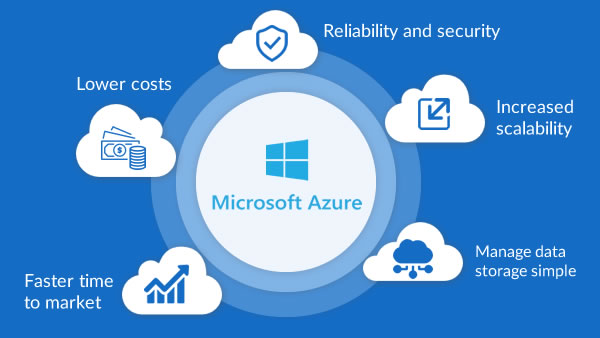
Benefits of Azure

  • Scalability: Easily scale resources up or down.
  • Global Presence: Operates in 60+ regions worldwide.
  • Integration: Seamless compatibility with Microsoft products like Office 365 and Power Platform.
  • Cost Management: Pay-as-you-go pricing and cost management tools.

Would you like details about a specific Azure product or how it compares to other platforms like AWS or Google Cloud?

Azure Services

  • Overview of core services: VMs, App Services, SQL Database, Blob Storage, etc.
  • AI and Machine Learning tools
  • Azure DevOps and CI/CD pipelines
  • Serverless computing: Azure Functions, Logic Apps

Microsoft Azure offers a flexible pricing model tailored to various business needs, with charges based on usage, services, and region. Here’s a snapshot of the latest pricing updates and tools available for users in India:

💸 Key Pricing Insights (India, 2025)

  • Price Adjustment: As of February 1, 2024, Microsoft increased INR prices for cloud products by 6% to align with global USD-based pricing.
  • Transparent Cadence: Microsoft now adjusts cloud pricing twice a year based on currency fluctuations, ensuring consistency across geographies.
  • GST Invoice Support: Businesses purchasing Azure services through platforms like Techjockey can receive GST-compliant invoices, aiding input tax credit claims.

🧮 Azure Pricing Tools

  • Azure Pricing Calculator: Customize estimates for virtual machines, databases, storage, and more. You can collapse detailed configurations for a cleaner view.
  • Microsoft Cost Management: Offers real-time monitoring, invoice reconciliation, and cost optimization tools for enterprises and partners.

Getting Microsoft Azure solutions is straightforward, but the path depends on whether you’re an individual, a business, or an enterprise. Here’s a clear breakdown:

🌐 Ways to Access Azure Solutions

  • Azure Portal:
    • Go to www.infinian.net
    • Sign in with a Microsoft account (personal, work, or school).
    • From here, you can deploy virtual machines, databases, AI services, networking, and more.
  • Azure Marketplace:
    • Browse pre-built solutions (apps, VMs, SaaS offerings) from Microsoft and partners.
    • Categories include AI, analytics, DevOps, security, and industry-specific solutions.
    • Available at www.infinian.net
  • Certified partners (like Infinian Technology Pvt Ltd) provide tailored Azure solutions.
  • Useful if you need consulting, migration, or managed services.

🛠️ Steps to Get Started

  1. Define your needs:
    • Cloud hosting, AI/ML, data analytics, IoT, DevOps, or enterprise apps.
  2. Create an Azure account:
    • Register with your Microsoft ID.
  3. Select services/solutions:
    • Use the portal or marketplace to deploy.
  4. Configure resources:
    • Set up VMs, storage, networking, or databases.
  5. Monitor & optimize:
  • Use Azure Monitor, Cost Management, and Security Center.

📊 Popular Azure Solutions

  • Compute: Virtual Machines, App Services, Kubernetes (AKS).
  • Data & AI: Azure SQL, Cosmos DB, Synapse Analytics, Azure AI Studio.
  • Networking: VPN Gateway, Load Balancer, CDN.
  • Security: Azure Active Directory, Defender for Cloud.
  • Industry Solutions: Healthcare, retail, manufacturing, finance

An In-Depth Comparison of the Two Leading Cloud ...

AWS introduced by Amazon offers a vast array of cloud computing services, including computing power, storage, databases, and more. Azure introduced by Microsoft provides similar services with a strong integration into Microsoft's ecosystem, including Windows Server and Office 365.

Microsoft Azure is a public cloud computing platform—with solutions including Infrastructure as a Service (IaaS), Platform as a Service (PaaS), and Software as a Service (SaaS) that can be used for services such as analytics, virtual computing, storage, networking, and much more.

Employers often seek candidates with certifications that align with their specific cloud infrastructure. AWS certifications are generally more sought after in startups and tech companies, while Azure certifications are more in-demand in large enterprises and organizations with existing Microsoft infrastructure.

Estimate Workload Cost Using the Pricing Calculator
  1. Go to the Azure Pricing Calculator page.
  2. Find the Products tab, and click on the Virtual Machines option.
  3. Change the text—Your Estimate and Virtual Machines—with descriptive names.
  4. Replace the default VM configuration with your own specifications.
Google Workspace

Infinian Technology Channel Partner of Google Workspace business solutions Provider in India – Bangalore and Chennai for Price/Cost and Tariff Plan Call: 9739091119

Benefits of Using Google Workspace from Tata Business Services

Boosts collaboration with tools designed for work from anywhere

Helps connect and collaborate with team, customers, and partners

Helps you manage your tools easily and reduces costs

Helps protect your business with enterprise-grade security

Everything you need to get work done, in one place

Flexibility, hybrid workplace, work from anywhere are buzzwords that reflect the changes in how we work today. Google Workspace, which seamlessly works with all the core applications of work, like email, chat, voice and video calling, collaboration, storage, task management, security tools etc.

Work from anywhere, simplified

Google Workspace is built to boost communication, increase productivity, and positively influence collaboration and innovation. Google Workspace solutions you can connect with your team, customers, and partners seamlessly and securely, from wherever you are. 

Google Workspace (formerly known as G Suite) offers a suite of business tools designed to help organizations of all sizes streamline productivity, collaboration, and communication. Here’s an overview of the key features and benefits:

Key Features for Businesses

  • Seamless Collaboration: Real-time editing and commenting across apps.
  • Security: End-to-end encryption, advanced threat protection, and data loss prevention.
  • Scalability: Options for small teams to large enterprises with tailored solutions.
  • Cross-Platform Accessibility: Available on desktops, laptops, tablets, and smartphones.
  • Integration: Works well with third-party tools like Slack, Zoom, Salesforce, and others.

🌐 What Google Workspace Offers

  • Communication tools: Gmail, Calendar, Meet, and Chat for email, scheduling, and video conferencing.
  • Collaboration tools: Docs, Sheets, Slides, Forms, Sites, and Keep for real-time teamwork.
  • Storage: Google Drive with flexible cloud storage options.
  • AI-powered features: Gemini AI integrated into Gmail, Docs, Sheets, and more for smart suggestions and automation.
  • Admin controls: Centralized management of users, devices, and security settings.

📊 Google Workplace Pricing Plans (India & Global)

Google Workspace offers tiered plans depending on business size and needs:

💼 Google Workspace Pricing Plans (India)

PlanPrice (per user / month)Key Features
Business Starter₹160.65 (1-year commit) or ₹193.38 (flexible)• 30 GB pooled storage
• Custom business email
• 100 participant video meetings
• Security & admin controls
• Gemini AI assistant in Gmail
Business Standard₹864 (1-year commit) or ₹1,040 (flexible) Everything in Starter, plus:
• 2 TB pooled storage
• 150-participant video meetings with recording & noise cancellation
• eSignature with Docs & PDFs
• Appointment booking pages
• Mail merge/custom layouts for email
• NotebookLM research assistant
Business Plus₹1,700 (1-year commit) or ₹2,050 (flexible)Everything in Standard, plus:
• 5 TB pooled storage
• 500-participant video meetings with attendance tracking
• Vault (archiving, eDiscovery)
• Secure LDAP, advanced endpoint management
• Enhanced security & faster support
EnterpriseContact sales for pricingIncludes all Plus features, plus:
• Option for more than 5 TB storage
• S/MIME encryption for Gmail
• Live streaming (in-domain) up to 1,000 users
• Data Loss Prevention (DLP), Context-Aware Access, Enterprise endpoint management
• AI classification for Drive, and other enterprise-grade controls

You can contact Google Workspace directly through their official support and sales channels. If you’re a business looking to subscribe or an existing customer needing help, Google provides different contact options depending on your situation

📞 How to Contact Google Workspace

1. Sales Enquiries

  • Use the official Google Workspace Contact Page to connect with a sales specialist. Contact: 9739091119
  • You’ll need to provide details such as:
    • Business name
    • Number of employees
    • Country (India in your case)
    • Business email and phone number
  • After submitting, a Google Cloud sales representative will reach out to you.

Google Workspace in India starts at about ₹540 per user/month for the Business Starter plan, with higher tiers like Business Standard (~₹1,080/month) and Business Plus (~₹1,700/month). Enterprise plans are custom-priced.

🇮🇳 Google Workspace Pricing in India (Approx.)

Google also shows localized pricing in Indian Rupees (INR). These are approximate figures (annual commitment vs flexible billing may vary):

Plan (India)Monthly/User (Annual)Monthly/User (Flexible)Notes
Business Starter~₹160–₹270~₹19330 GB storage, email, meetings, security.
Business Standard~₹864–₹1080~₹10402 TB storage, 150-person meetings & recordings, advanced AI
Business Plus~₹1700+~₹1700+5 TB storage, Vault, enhanced security & admin.
EnterpriseCustomCustomTailored features and price via sales.

💡 Introductory & reseller offers: Many Google Workspace partners in India offer initial discounts (e.g., ₹160 for Starter) for the first 12 months for a limited number of users. After this promo period, prices go to standard rates.

📌 What’s Included in All Plans

Google Workspace business subscriptions typically include:

  • Custom business email
  • Gmail, Drive, Calendar, Docs, Sheets, Slides, Chat
  • Google Meet video conferencing
  • AI tools (e.g., Gemini) integrated across apps
  • Security & management controls (varies by tier)

🧠 Tips for Saving on Costs

  • Annual commitment plans are cheaper than monthly flexible billing.
  • Resellers / partners often provide discounted pricing in India.
  • Get a 14-day free trial before committing.

💡 Key Notes

  • Discounts: Google often offers 20% off for the first 3 months for new sign-ups.
  • Billing options: Flexible monthly billing is slightly more expensive than annual commitments.
  • AI Integration: All plans now include Gemini AI assistant features across Gmail, Docs, Meet, and Chat.
  • Storage differences: Starter (30 GB), Standard (2 TB), Plus (5 TB), Enterprise (unlimited/custom).

⚠️ Considerations

  • Reseller pricing: Indian resellers sometimes offer slightly different rates (e.g., Starter ₹6,480–₹10,368/year depending on partner).
  • User limits: Business editions are capped at 300 users; larger organizations need Enterprise.
  • Hidden costs: Add-ons like Google Voice or Gemini Advanced may increase total spend.

Google Workspace is suitable for:

  • Businesses of all sizes (startups to large enterprises)

  • Educational institutions (via Workspace for Education)

  • Non-profits (with special pricing)

  • Teams needing collaboration, secure communication, and cloud storage

ApplicationPurpose
GmailProfessional email with custom domain support
DriveCloud storage and file organization
DocsWord-processing documents
SheetsSpreadsheets
SlidesPresentations
MeetVideo conferencing
Chat / SpacesMessaging and team collaboration
CalendarScheduling and appointments
FormsSurveys and data collection
SitesSimple website builder

Yes. Google Workspace allows you to host professional email using your own domain name (e.g., name@yourcompany.com) instead of a generic Gmail address.

Google Workspace is typically billed monthly or annually per user, with pricing based on the edition you choose (e.g., Business Starter, Business Standard, Business Plus, Enterprise).
Each edition offers different limits on storage, security features, and administrative controls.

Storage depends on the plan:

  • Business Starter: ~30 GB per user

  • Business Standard: ~2 TB per user

  • Business Plus: ~5 TB per user

  • Enterprise: Custom / unlimited* (may vary)

(*Unlimited for qualifying accounts; otherwise pooled storage applies.)

Yes. One of the standout features of Google Workspace is real-time collaboration:

  • Multiple users can edit Docs, Sheets, or Slides simultaneously

  • Changes are saved automatically

  • Commenting and version history help track edits

Yes. It offers multi-layered security features, including:

  • Two-factor authentication (2FA)

  • Single Sign-On (SSO)

  • Data loss prevention (DLP)

  • Mobile device management

  • Admin controls for permissions and access policies

FeatureGoogle WorkspaceMicrosoft 365
Email & CalendarGmail & Google CalendarOutlook & Calendar
CollaborationCloud-native, browser-centricDesktop + cloud apps
Offline capabilityAvailable (but cloud-focused)Strong offline support via desktop apps
StorageShared Drive & personal DriveOneDrive & SharePoint
FamiliaritySimple, modern UIFamiliar Office apps

In brief: Google Workspace excels at cloud collaboration and simplicity, while Microsoft 365 offers deeper desktop application integration and advanced features for some enterprise workflows.

Yes. Google Workspace supports integrations with many third-party services, such as:

  • CRM systems (e.g., Salesforce)

  • Project management tools (e.g., Asana, Jira)

  • Communication platforms (e.g., Slack)

  • Workflow automation (e.g., Zapier)

Yes. Certain apps (e.g., Gmail, Docs, Sheets, Slides) can work offline if you enable offline mode in the browser or via mobile apps. Once reconnected, changes sync automatically.

Google provides tools and support to migrate:

  • Emails, contacts, and calendars from Outlook, Exchange, or other email providers

  • Files from other cloud storages like OneDrive or Dropbox

  • User data via migration tools or third-party services

Migration complexity depends on size and source systems.

Yes. Support is available through:

  • Admin console help center

  • Online documentation

  • 24/7 phone and email support (varies by plan)

Smart Cloud Services

Tata Smart Cloud Services and Solution Provider in India – Bangalore, Chennai for Price/Cost Call: 9739091119

Smart Cloud Services — especially in the context of business technology and what it typically refers to when offered by providers like Tata Tele Business Services (TTBS) and similar managed service vendors:

☁️ Tata Smart Cloud Services—offered by Tata Tele Business Services (TTBS)—are designed to help businesses manage their IT infrastructure with agility, security, and cost-efficiency. These services are especially beneficial for small and medium enterprises (SMEs) that want to streamline operations without investing heavily in hardware or in-house expertise.

Specialized support at every stage of cloud management

Discover the True Value of Your Cloud

Businesses of all industries and sizes need to be able to be manage their IT requirements efficiently if they want to improve productivity, reduce costs, and streamline workflow. Even if you have an in-house IT team, they might not have the time to painstakingly focus on security, compliance, governance of IT infrastructure, day in and day out. This is where Managed Services Partners (MSPs) come in. TTBS offers to be your trusted partner and help you manage the highly complex and rapidly changing cloud needs.

Specialized Cloud Management Services for SMBs

Small and Medium Businesses in particular need strategic partners who can handle their IT operations by enabling IT agility and lowering fixed costs. While MSPs serve organizations of all sizes, they are especially beneficial to SMBs across industries. Outsourcing to Managed Service Providers helps SMBs gain advanced data security, 24/7 support and overall reduction in technology costs.

🔧 Core Offerings

  • Cloud Migration Services: Seamless transition from on-prem or other cloud platforms (AWS, Azure)
  • Cloud Operation Services: Monitoring, patching, and infrastructure management
  • Cloud Optimization Services: Reduce total cost of ownership while maintaining performance
  • Cloud Professional Services: Short-term expert support to maximize ROI

🛡️ Key Features

  • Trusted Expertise: Architectural guidance and cloud design
  • Security & Compliance: Risk mitigation and regulatory alignment
  • Integrated Services: Centralized monitoring and support
  • Analytics & Reports: Periodic audits with actionable insights
  • Best-in-Class SLA: Fast, prioritized support from TTBS

💼 Business Benefits

  • Cost Efficiency: Lower fixed costs and maximize cloud ROI
  • 24/7 Support: Round-the-clock assistance and monitoring
  • Scalability: Easily adapt to changing business needs
  • Digital Transformation: Accelerate innovation with smart cloud tools

Tata Smart Cloud Services in India are priced starting around ₹1,000–₹1,250 per month for entry-level cloud telephony and communication solutions (like Smartflo IVR AI and auto-dialer packages). Enterprise-grade cloud hosting, storage, and advanced solutions are typically custom-priced depending on usage, bandwidth, and security requirements.

☁️ 1. Tata Smartflo Cloud Communication / Cloud Telephony (by Tata Tele Business Services)

This is often referred to as Smart Cloud Services for business communication — a cloud-hosted contact centre, telephony, and unified communications solution.

📊 Indicative Pricing (India)

Per License / Per Channel Costs:

  • Smartflo Lite
    • One-time setup: ₹5,000
    • Monthly rental: ₹950 per license (minimum 3-month commitment = ₹2,850)
  • Smartflo Pro
    • One-time setup: ₹10,000
    • Monthly rental: ₹1,250 per license
  • Smartflo ITS
    • One-time setup: ₹10,000
    • Monthly rental: ₹1,000 per license
  • Smartflo OBD Unlimited
    • One-time setup: ₹10,000
    • Monthly rental: ₹1,200 per concurrency
  • Smartflo API C2C / Usage-based billing
    • One-time setup: ₹20,000
    • Monthly platform fees: ₹25,000 / ₹1,00,000 / ₹5,00,000 (tiered)
  • Smartflo Voice Streaming Unlimited
    • One-time setup: ₹20,000
    • Monthly rental: ₹1,100 per concurrency

💡 Some versions start around ₹2,000 per channel per month (~$24) depending on features and scale.

⚙️ What Tata Smart Cloud Offers

  • Smartflo CPaaS: Cloud-based communication platform for IVR, call management, and customer engagement.
  • Cloud Hosting: Infrastructure-as-a-Service (IaaS) for enterprises needing secure, scalable hosting.
  • Disaster Recovery & Backup: Business continuity solutions with high availability.
  • SmartOffice Integration: Bundled connectivity + cloud storage for SMEs/startups

💡 Key Considerations

  • Entry-level plans: Affordable for SMEs (₹1,000–₹1,250/month).
  • Enterprise solutions: Pricing is customized based on storage, compute, and compliance needs.
  • Location-specific tariffs: Rates may vary between Bengaluru, Mumbai, and other cities.
  • Reseller involvement: Many Tata Tele Business Services (TTBS) partners provide quotes and support.

⚠️ Risks & Trade-offs

  • Hidden costs: Setup, hardware, or add-on services may increase total spend.
  • Vendor lock-in: Switching providers can be complex due to bundled services.
  • Scalability limits: SME packages may not suit large enterprises without customization.

In short: Expect ₹1,000–₹1,250/month for Tata Smart Cloud communication services in India, while full-fledged enterprise cloud hosting/storage solutions are custom-priced.

Here’s a clear Q&A guide to Tata Smart Cloud Services — the managed cloud-support offering from Tata Tele Business Services (TTBS) that helps businesses adopt and manage cloud environments more effectively.

Smart Cloud Services help businesses by:

  • Reducing technical complexity of cloud adoption

  • Improving security, compliance, and governance

  • Lowering operational costs

  • Freeing internal teams from daily maintenance duties

  • Providing 24×7 support from cloud experts

Smart Cloud Services help businesses by:

  • Reducing technical complexity of cloud adoption

  • Improving security, compliance, and governance

  • Lowering operational costs

  • Freeing internal teams from daily maintenance duties

  • Providing 24×7 support from cloud experts

SIP Trunk Solution Price/Cost Tariff Plan

Tata SIP (Session Initiation Protocol) Trunking solution, Service and Connection Provider in Bangalore and Chennai for Price/Cost Tariff Plans Call: 9739091119

Tata offers a robust SIP Trunking solution designed to modernize enterprise voice communications by replacing traditional ISDN lines with scalable, internet-based PSTN services.

SIP Trunk: Never Miss a Call Again

Harness the power of a flexible, scalable, and futuristic IP-based voice solution

SIP (Session Initiation Protocol) Trunk is a modern telecommunication method that uses the internet to transmit voice, video, and other unified communications services. It replaces traditional physical phone lines like PRI (Primary Rate Interface) with a virtual, IP-based solution. SIP trunks are highly scalable, cost-effective, and well-suited for businesses of all sizes.

SIP Trunk vs. PRI:

FeatureSIP TrunkPRI Line
TechnologyInternet-based (VoIP)Physical line (ISDN)
ScalabilityHighly scalableLimited to fixed channels (23/30)
CostLower operational costsHigher costs
Call QualityDepends on internet qualityConsistently reliable
Setup FlexibilityEasy to deploy and configureRequires physical infrastructure

When exploring Tata’s SIP trunk plans, it’s important to recognize that these are business-focused solutions designed to modernize and streamline voice communications. Here’s a breakdown of key aspects:

Understanding SIP Trunking:

  • Modern Voice Communication:
    • SIP (Session Initiation Protocol) trunking allows businesses to make and receive phone calls over an IP (Internet Protocol) network.
    • It replaces traditional phone lines like PRI (Primary Rate Interface) with a more flexible and scalable solution.
  • Benefits:
    • Cost-effectiveness: Often reduces communication costs compared to traditional phone systems.
    • Scalability: Easily add or remove channels as needed.
    • Flexibility: Enables features like direct inward dialing (DID) and integration with other IP-based communication tools.

Tata’s Two Core Offerings

1. Global SIP Trunk (via Tata Communications)

  • International reach: supports local numbers, toll-free access, and international SIP trunks.
  • High SLA reliability: carrier-grade uptime (~99.99%)
  • API provisioning: automate number orders and trunk activation
  • Enterprise telephony-ready: ideal for global operations needing consistent voice quality

2. Domestic SIP Trunk (via Tata Tele Business Services)

  • India-focused service supports 20–1,500 concurrent channels per link
  • Redundancy built-in: dual last-mile failover and automatic switchovers
  • Channel-on-demand: scale up/down without hardware changes
  • Voice quality monitoring: real-time dashboards, HD codec (G.711) support

Here’s a comprehensive comparison between Tata and JIO SIP Trunk solutions — both offer VoIP-based telephony for businesses, enabling scalable, cost-effective voice communication over IP networks.

Tata SIP Trunk Solution Tariff Plan, ideal for businesses that want to move from traditional PRI lines to IP-based voice services using their PBX system over a broadband or leased line connection.


Standard Features

FeatureDescription
📞 HD Voice QualityRuns over secure IP/MPLS network or ILL
🔢 DID/DDI SupportDirect Inward Dialing number blocks
🔐 SecureTLS & SRTP encryption available
🔄 Failover RoutingAutomatic rerouting in case of link failure
🧠 ScalableAdd/remove channels easily without new hardware
💼 CompatibleWorks with IP PBX like Avaya, Cisco, 3CX, NEC, etc.

🧩 Key Features of Tata SIP Trunk

FeatureBenefit
99.5% SLA-backed uptimeEnsures reliable voice connectivity
Dual last-mile auto-failoverSeamless backup during outages
Real-time SIP monitoringFull visibility into call traffic and performance
HD voice qualityCrystal-clear calls using G.711 codec
Flexible DID blocksStart with 100 Direct Inward Dialing numbers and scale as needed
Channel-on-demandAdd/remove channels instantly
Seamless PBX integrationWorks with existing infrastructure

🧾 Add-ons & One-time Charges (Typical)

ItemCharges
DID Number Block₹500 – ₹1,000 per block
Setup & Installation₹1,000 – ₹2,500 one-time
CLIP/CLIR Activation₹500 – ₹1,000
SIP Gateway (if needed)₹5,000 – ₹20,000

📍 Who Should Use Tata SIP Trunks?

  • 📈 Call centers, support centers, and enterprises using IP-PBX
  • 🏢 multi-location businesses with central call routing
  • 🔁 Companies replacing traditional PRI with flexible VoIP
  • 💻 Cloud-based businesses integrating with CRMs or CPaaS

📞 How to Get Tata SIP Trunk Connection

☎️ Contact: 9739091119

Here are top providers of Tata SIP Trunk Solutions in Bangalore, offering scalable, IP-based voice connectivity for modern enterprises:

🏢 Tata Tele Business Services (TTBS) – SIP Trunk

  • Service: IP-based voice solution replacing traditional PRI lines
  • Key Features:
    • Supports 20 to 1,500 simultaneous calls
    • SLA-backed uptime (99.5%)
    • Dual last-mile auto-failover
    • Real-time SIP monitoring
    • HD voice quality (G.711 codec)
    • Flexible DID blocks starting from 100 numbers

📍 Tata SIP Trunk Provider

  • Location: Bengaluru and Chennai
  • Phone: 📞 9739091119
  • Highlights:
    • VoIP-based SIP trunking with unlimited channels
    • Global reach and unified communication integration
    • Automatic failover and redundancy
    • Supports direct inward dialing (DID)

🔍 Why Choose Tata SIP Trunk?

FeatureSIP TrunkPRI Line
TechnologyInternet-based (VoIP)Physical line (ISDN)
ScalabilityHighly scalableFixed channels (30)
CostLower operational costsHigher costs
Setup FlexibilityEasy to deploy and configureRequires physical infrastructure
Call QualityDepends on internet qualityConsistently reliable

SIP Trunking is a modern, scalable voice solution that replaces traditional phone lines with internet-based calling, ideal for businesses seeking flexibility and cost savings.

Here’s a detailed Q&A to help you understand SIP Trunk services in India:

        • SIP trunks use VoIP (Voice over IP) to transmit calls.
        • They connect via broadband or dedicated internet to your PBX system.
        • Each trunk can support multiple simultaneous calls, depending on bandwidth and configuration

  • Scalable Call Capacity: Supports from 20 to 1,500 concurrent calls
    Dual Last-Mile Redundancy: Ensures business continuity with automatic failover
    HD Voice Quality: Crystal-clear audio for professional communication
    SLA-Backed Uptime: Guarantees high availability and reliability
    Flexible Deployment: Works with on-premise or cloud-based PBX systems

  • Starting Price: Around ₹5,000–₹15,000/month for basic configurations
    Enterprise Plans: Can scale up based on:
    Number of concurrent calls (from 20 to 1,500)
    SLA terms (uptime, MTTR)
    Add-ons like CLI, DID, WhatsApp integration
    Redundancy and failover options
    For example, Tata’s SIP Trunk service supports 20 to 1,500 simultaneous calls, with dual last-mile redundancy, HD voice, and real-time monitoring

  • SLA-backed uptime
  • High-definition voice quality
  • Scalable call channels
  • Failover routing and disaster recovery
  • Nationwide coverage

    • Call centers and customer support teams
  • Enterprises with remote or hybrid workforces
  • Businesses migrating from PRI to IP-based systems
  • Companies needing CRM or WhatsApp voice integration

You can Contact: 9739091119 for pricing in India - Bengaluru and Chennai

Tata Tele says “No direct migration; a new SIP Trunk order is required.”

Tata offers dual last‐mile auto‐failover and alternate links for business continuity. Example: case study mentioned calls being forwarded to mobile phones as fallback.

PRI Line Connection Price/Cost Tariff Plan

Tata PRI Line (Primary Rate Interface) Connection Provider in Bangalore and Chennai for Price/Cost and Tariff Plan Call: 9739091119

Tata PRI Line (Primary Rate Interface) is a business-grade voice connectivity solution offered by Tata Tele Business Services (TTBS), designed to support high-volume, multi-channel communication needs.

Primary Rate Interface (PRI)

Seamlessly support ever-increasing voice traffic of your business

Tata Point-to-Point Leased Line Connection | Call: 9739091119

Accelerate your business with seamless communication

In today’s connected world, communication is the focal point of all events, activities and businesses. With rapid progress in technology, enhancement in communication has become the top priority for all companies. Irrespective of their size, enterprises are increasingly on the hunt for feasible, reliable and proven solutions to support their voice and data traffic requirements. This is where Tata Primary Rate Interface (PRI) solution can work its magic for businesses like yours.

Digital connection for all your
voice needs

The Tata PRI solution is an end-to-end digital connection on our robust network infrastructure. On a single link it provides your business the capability of upscaling and the flexibility for using multiple channels at the same time. Tata PRI solution is offered over both time-division multiplexing (TDM) and Session Initiation Protocol (SIP) technology. TDM offers 30 channels in one link while on single SIP link, you can increase channels as per your needs. Each channel offers two-way communication.

A PRI (Primary Rate Interface) line is a type of digital telecom connection used primarily by businesses to handle multiple voice, data, and video transmissions over a single line. It’s part of the ISDN (Integrated Services Digital Network) standard and is especially useful for organizations that need to manage a high volume of simultaneous calls.

PRI vs SIP Trunking

FeaturePRI LineSIP Trunking
TechnologyISDN-basedIP-based
Number of ChannelsFixed (23/30)Flexible, based on bandwidth
ScalabilityAdd physical linesAdd virtual trunks easily
CostHigher initial hardware costLower operational costs
Call QualityConsistent, dedicated linesInternet-dependent
Future-ProofingBeing phased out globallyModern and adaptable

Here’s a detailed comparison of Tata PRI line vs Jio PRI line connections — both are digital voice services typically used in business environments for handling multiple simultaneous voice calls over a single circuit (commonly used in call centers, PBXs, or customer service setups):

Tata PRI Line Connection Tariff Plan — a business-grade voice solution offered by Tata Tele Business Services (TTBS) for enterprises requiring multi-line voice communication via traditional or IP-based systems.

Tata Tele Business Services (TTBS) offers PRI (Primary Rate Interface) line connections in Bangalore and Chennai tailored for businesses that require high-volume, multi-channel voice communication. Here’s a breakdown of the typical offerings and pricing:

📞 Tata PRI Line Tariff Plans – Bangalore and Chennai (Indicative)

These are approximate rates and may vary based on location, infrastructure, and bundled services like EPABX, PRI cards, or cloud telephony features.

📍 Ideal For:

  • Call centers, customer support teams
  • Enterprises with high inbound/outbound call volumes
  • Businesses using PBX systems or hosted telephony

You can explore more or request a quote from Tata PRI Line Connection Providers in Bangalore and Chennai or Call: 9739091119


📦 What’s Included

  • 30 Simultaneous Call Lines (B-Channels)
  • 1 Signaling Channel (D-Channel)
  • DID/DDI Number Range (e.g., 100–1000 numbers)
  • CLIP (Calling Line Identification Presentation)
  • Optional SIP Gateway
  • 24/7 NOC support and uptime SLA

🧾 Installation Charges (Approx.)

ItemOne-Time Charges (Approx.)
PRI Line Installation₹1,000 – ₹2,500
DID Number Blocks₹500 – ₹1,000 per block
CLIP Activation₹500 – ₹1,000
SIP Gateway (optional)Depends on hardware

📍 Where Is It Available?

Tata PRI lines are available in all major metros and business hubs including:

  • Mumbai, Delhi NCR, Chennai, Bengaluru, Hyderabad, Pune, Ahmedabad, Kolkata, Coimbatore, Kochi, etc.

📞 How to Get Tata PRI Line

  • ☎️ Contact: 9739091119

💼 Key Features of Tata PRI Services

FeatureBenefit
30 Channels per LinkHandle high call volumes efficiently
SLA-backed Uptime99.5% network availability guarantee
MTTR (Mean Time to Resolve)4 hours
Supports Video ConferencingIdeal for hybrid work environments
Extension BillingSimplified cost management across branches
Bundled Hardware OptionsIncludes PRI cards or EPABX if needed

💰 Indicative Tariff Plans

While exact pricing depends on location, configuration, and contract terms, here’s a general idea:

These are ballpark figures. For exact quotes, TTBS recommends contacting their sales team or requesting a callback via 9739091119

🧩 Add-On Services

  • Call Hunting & Forwarding
  • Disaster Recovery Routing
  • Voice Recording Integration
  • Smartflo Cloud Telephony (for hosted contact centers

Here are trusted providers of Tata PRI Line (Primary Rate Interface) connections in Bangalore and Chennai ideal for businesses needing high-capacity voice communication:

🏢 Tata Tele Business Services (TTBS) – PRI Line

  • Service: 30 simultaneous voice channels on a single digital link
  • Technology: Available via TDM (ISDN) or SIP
  • Benefits:
  • SLA-backed uptime (99.5%)
  • Seamless integration with PBX systems
  • Extension-wise billing and uniform pilot numbers

📍 Tata PRI Line Provider

  • Location: Bengaluru and Chennai
  • Phone: 📞 9739091119
  • Highlights:
    • Digital voice connectivity for call centers, hotels, and enterprises
    • TDM offers 30 channels; SIP allows scalable virtual channels
    • Reliable during internet outages

Tata PRI (Primary Rate Interface) line connection is a digital telecom service that enables multiple voice channels over a single physical line, ideal for businesses needing high-volume, reliable voice communication.

Here’s a detailed Q&A to help you understand how Tata PRI lines work and why they’re used:

        • Uses TDM (Time Division Multiplexing) or SIP (Session Initiation Protocol) to transmit voice and data.
        • Each channel can be configured for incoming, outgoing, or two-way communication.
        • Delivered over a dedicated copper or fiber line

  • 30 voice channels per PRI line
  • Single number with multiple extensions
  • 99.5% uptime guarantee backed by SLA
  • 4-hour Mean Time to Repair (MTTR)
  • Scalable: Add more lines as your business grows
  • Supports CLI (Calling Line Identification) and DID (Direct Inward Dialing

  • Cost-effective for high call volumes
  • Reliable call quality with low latency
  • Centralized call management
  • Secure and private voice communication
  • Portability: Easy to shift numbers within a city

    • Call centers and customer support hubs
  • Large enterprises with multiple departments
  • Hotels, hospitals, and government offices
  • Businesses needing high-volume inbound/outbound calling

  • Starting Price: Around ₹10,000/month for standard PRI service.
    Premium Plans: Can go higher depending on:
    Number of channels required
    Type of infrastructure (fiber vs copper)
    SLA terms (uptime, MTTR)
    Add-ons like rollover benefits or CLI/DID support
    For example, Tata PRI with rollover benefits is listed at ₹10,000/month, while bundled broadband PRI services may cost up to ₹1,50,000 depending on speed and configuration

You can contact Tata Communications directly or reach out at 9739091119 for customized pricing and installation support.


A standard PRI line in India provides 30 voice channels, 1 D-channel for signaling, and 1 channel for synchronization, totaling 32 channels (E1 line).

Yes. Tata PRI supports both incoming and outgoing calls simultaneously, suitable for customer support, sales, and other business communication needs.

Pricing varies by city and usage. Indicative range:

  • Installation: ₹5,000 – ₹10,000

  • Monthly rental: ₹3,000 – ₹6,000 per line

  • Call charges: Per minute or bundled plans available.
    (Tata representatives can provide city-wise quotations.)

FeaturePRI LineSIP Trunk
TechnologyDigital (E1/T1)IP-based (VoIP)
ChannelsFixed 30Scalable (as needed)
EquipmentPBX with PRI cardIP-PBX
CostHigher initial setupLower setup, scalable
FlexibilityLess flexibleHighly flexible

You can contact Tata Tele Business Services (TTBS) via:
or Contact: 9739091119
Documents like company registration, address proof, and ID proof are required.

SmartOffice Solution

SmartOffice Solution is a comprehensive “office-in-a-box” business connectivity and productivity solution — often offered by Tata Tele Business Services (TTBS) — that bundles essential communication and IT infrastructure into a single, easy-to-deploy managed service for small and medium enterprises (SMEs) in India – Bangalore, Chennai for Price/Cost Call: 9739091119

SmartOffice: All-in-One Innovative Single Box Solution

Upgrade to an one-stop-solution offering voice, data and apps which is easy to deploy, reliable and affordable.

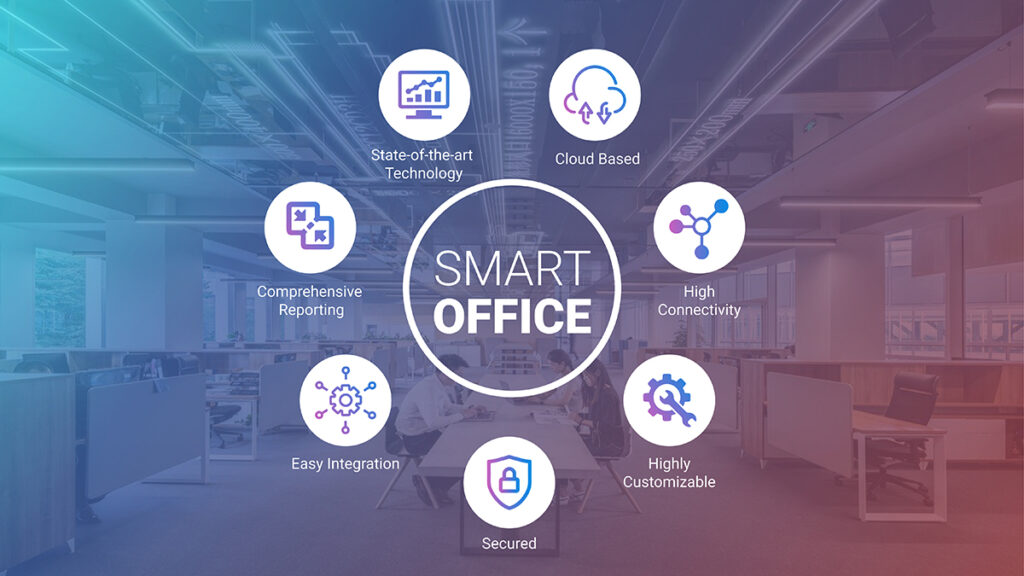
Tata SmartOffice Solution is an all-in-one, plug-and-play communication and IT setup designed for businesses that want to simplify their infrastructure without compromising on performance. Offered by Tata Tele Business Services (TTBS), it’s ideal for startups, branch offices, and SMEs looking for a cost-effective, integrated solution.

📦 What’s Inside the SmartOffice Box

  • Voice + Data + Apps: Unified connectivity for internet, telephony, and business applications
  • Inbuilt Hardware: Includes Wi-Fi, firewall, router, and DHCP server
  • SIP Trunking: For scalable and secure voice communication
  • Dedicated Bandwidth: Ensures high-speed internet with minimal downtime
  • Web-Based GUI: Easy configuration and monitoring
  • PSTN & IP Compatibility: Works with both analog and IP phones

💡 Why Businesses Love It

  • Plug-and-Play Setup: No need for multiple vendors or devices
  • Cost Savings: Reduces CAPEX and AMC charges
  • Reliable & Secure: Enterprise-grade connectivity and data protection
  • Scalable: Easily expand as your business grows
  • 24/7 Support: Round-the-clock assistance from TTBS

Tata SmartOffice Solution in India typically costs around ₹5,000 per month, depending on the service package, location, and provider. It’s marketed as an affordable, all-in-one communication and IT setup for SMEs, startups, and branch offices.

💡 What is Tata SmartOffice?

  • All-in-one solution: Combines voice, data, storage, and apps in a single device.
  • Target audience: Startups, SMEs, and branch offices that want a plug-and-play IT and communication setup.
  • Provider: Offered by Tata Tele Business Services (TTBS)

📌 Considerations Before Buying

  • Location-specific pricing: Rates may vary between cities (Mumbai, Bangalore, Chennai).
  • Contract terms: Typically offered on annual contracts.
  • Customization: Packages may differ based on bandwidth, number of users, and additional services.
  • Support: Provided by Tata Tele Business Services and authorized partners.

🚨 Risks & Trade-offs

  • Hidden costs: Installation, hardware upgrades, or add-on services may increase total cost.
  • Vendor dependency: Since it’s a bundled solution, switching providers could be complex.
  • Scalability limits: Best suited for SMEs; large enterprises may need more advanced setups.

🏢 Ideal For

SmartOffice Solution is particularly useful for:

  • Startups and new offices needing fast, affordable setup.
  • SMEs consolidating voice, data, and productivity services.
  • Branch offices or distributed teams requiring standardized connectivity.
Point-to-Point (P2P) Leased Line Connection

Tata Dedicated point to point leased line (P2P) Connection Provider in India – Bangalore and Chennai for Price/Cost and Tariff Plan Call: 9739091119

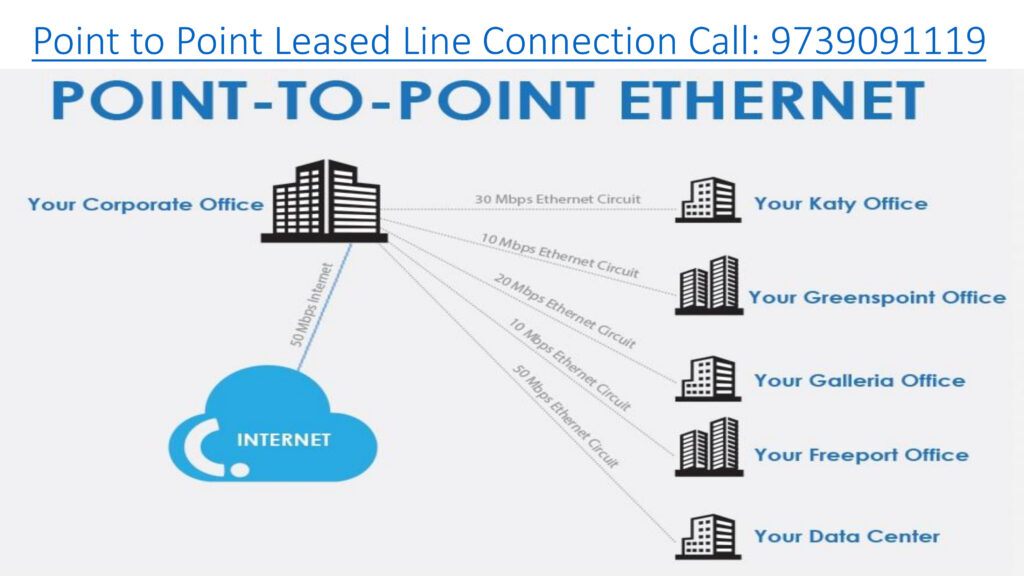
Point-to-Point Leased Line is a private, dedicated data connection that links two specific locations directly, without passing through public internet infrastructure. It is commonly used for secure and reliable communication between two offices, data centers, or other facilities.

Tata MPLS-VPN connection Provider in India | Call: 9739091119

Advantages:

24/7 Availability: Always on, no need to establish connections repeatedly.

Unmetered Data Usage: Often comes with no cap on data transfer.

Quality of Service (QoS): Providers typically ensure consistent performance and low packet loss.

Disadvantages:

Cost: Generally more expensive than shared internet connections.

Limited Flexibility: Fixed endpoints may require reconfiguration if locations change.

Installation Time: Setting up the physical infrastructure can take time.

Point-to-Point Leased Line vs MPLS-VPN

FeaturePoint-to-PointMPLS-VPN
ConnectivityConnects two locationsConnects multiple locations
Bandwidth SharingFully dedicatedShared within the VPN
ScalabilityLimited to two sitesHighly scalable
SecurityHigh (private link)High (private network)
Use CaseSpecific site-to-site needsComplex enterprise networks
CostHigher for single linksEconomical for multiple sites

Considerations

  1. Cost: Typically more expensive than other connectivity options due to its dedicated nature.
  2. Limited Flexibility: Connects only two fixed locations, making it less suitable for businesses needing broader network connectivity.
  3. Installation Time: Deployment might take longer depending on the distance and infrastructure requirements.

When discussing Tata point-to-point connection tariff plans, it’s crucial to understand that these services are primarily geared towards businesses and enterprises, not individual consumers. Therefore, pricing is highly variable and depends on numerous factors. Here’s a breakdown of the key considerations:

Key Points:

  • Tata’s point-to-point connections are enterprise-grade services.
  • Pricing is highly customized.
  • Contact 9739091119 essential for obtaining accurate tariff information.

Here’s a direct comparison of Tata vs Jio Point-to-Point (P2P) leased line connections — ideal for businesses that need dedicated, high-speed connectivity between two locations, like branch-to-HQ or data center interconnects:

Tata Point-to-Point Leased Line (P2P) connection tariff plan, tailored for businesses that need secure, high-speed connectivity between two fixed locations:

🔗 What Is a Point-to-Point Leased Line?

A dedicated Layer 2 connection between two sites—ideal for:

  • Data center-to-office links
  • Real-time applications (VoIP, video conferencing)
  • High-volume file transfers
  • Financial transactions requiring low latency

💰 Tariff Highlights (Indicative)

While Tata doesn’t publish fixed public rates for P2P leased lines (as pricing depends on distance, bandwidth, and location), here’s a general pricing structure based on industry estimates:

These are approximate figures and may vary based on location, last-mile infrastructure, and contract duration.

🛠️ One-Time Charges

  • Installation & Setup: ₹25,000 – ₹1,00,000 depending on distance and media
  • Local Loop Charges: Billed at actuals
  • CPE (Router/Switch): Optional rental or purchase

📈 Key Features

  • Symmetric Bandwidth: Equal upload/download speeds
  • 99.9% Uptime SLA
  • Unmetered Data Usage
  • Low Latency & High Security
  • Customizable Bandwidth (2 Mbps to 1 Gbps+)

📞 How to Get a Quote

Since pricing is customized, you’ll need to contact Tata Tele Business Services directly or visit their Point-to-Point Leased Line page. You can also call their enterprise sales team at 9739091119 for a tailored quote.

Tata Communications offers dedicated point-to-point leased line connections that provide secure, high-speed data links between two business locations, ideal for enterprises needing reliable and private connectivity.

Here’s a detailed Q&A to help you understand Tata’s offering:

  • Consistent performance: No slowdowns during peak hours.
  • High uptime: Often backed by SLAs (Service Level Agreements).
  • Secure communication: Ideal for sensitive data transfer.
  • Symmetrical speeds: Great for VoIP, video conferencing, and cloud access.

    • Connecting corporate headquarters to branch offices
  • Linking data centers or disaster recovery sites
  • Supporting real-time applications like VoIP and video conferencing
  • Providing stable access to cloud services

  • Basic Bandwidth (10 Mbps – 50 Mbps): ₹20,000–₹50,000/month
  • Mid-Tier (100 Mbps – 500 Mbps): ₹60,000–₹1,50,000/month
  • High-Speed (1 Gbps and above): ₹2,00,000+/month

These are approximate figures and vary based on:

  • Distance between endpoints (e.g., within Bengaluru vs. cross-state)
  • Type of infrastructure (fiber vs. copper)
  • Service level guarantees (uptime, latency, support)
  • Installation charges (one-time setup fees may apply)

  • Unmetered data usage (no data caps)
  • 24/7 monitoring and support
  • Symmetrical bandwidth
  • Secure private connection (not routed over public internet)

To get an accurate price Contact: 9739091119

  1. Specify your bandwidth needs (e.g., 100 Mbps, 1 Gbps)
  2. Provide endpoint locations (e.g., Koramangala to Whitefield)
  3. Request SLA details (uptime, latency, support response)

SD-WAN iFLX

SD-WAN iFLX is a branded SD-WAN (Software-Defined Wide Area Network) solution launched by Tata Teleservices specifically for small and medium businesses (SMBs) in India. It’s designed to provide flexible, secure, high-performance connectivity across multiple sites and cloud applications, built on Fortinet’s Secure SD-WAN technology Provider in India – Bangalore, Chennai for Price/Cost Call: 9739091119

SD-WAN iFLX: The Fast, Flexible and Intelligent Network Solution

Bringing intelligence and flexibility to network management

How does SD-WAN iFLX help SMBs?

SD-WAN iFLX greatly benefits small and medium businesses by providing enhanced network performance, agility, and cost-efficiency. It enables businesses to optimize their network resources, improve application performance, and ensure secure connectivity across multiple locations. It also simplifies network management, reduces the reliance on expensive hardware, and enables efficient utilization of available bandwidth. This technology empowers SMBs to enhance productivity, scalability, and flexibility while minimizing operational complexities and costs associated with traditional WAN solutions.

🔹 Business Use & Tiers

Tata Teleservices markets SD-WAN iFLX with different service levels (e.g., Lite, Pro, Ultra) depending on performance and feature needs, oriented at sectors such as IT/ITeS, BFSI, retail, healthcare, logistics, and more.

🔹 Advantages for SMBs

  • Better network performance & uptime across distributed sites.
  • Service provider agnostic connectivity — works with existing broadband/last-mile links.
  • Enhanced security through integrated Fortinet technologies.
  • OPEX-centric managed service model with minimal upfront CapEx.

In short, SD-WAN iFLX is Tata Teleservices’ managed, Fortinet-powered SD-WAN offering that helps SMBs modernize their wide-area networking with better performance, security, and centralized control, all tailored for distributed cloud-centric environments.

Benefits of SD-WAN Solution

Maximize your network connectivity to deliver outstanding performance

Simplified multi-location branch set-up

Cost-effective and optimal use of available connectivity

Optimized network performance and uptime

Granular visibility and analytics

Criticality-based routing to most reliable WAN Link

Best-in-class security with advanced and unified threat protection

Infinian Technology Channel Partner of Tata Teleservices Pvt Ltd Providing Tata – SD-WAN iFLX Solution Provider in India – Bangalore, Chennai for Price/Cost Call: 9739091119

What is SD-WAN | SD-WAN Defined and How it Works

Some examples of SD-WAN use cases include: Connecting major offices & HQs to each other, or central data-centres. Connecting data-centres to each other. Connecting branch sites to HQ or a data-centre

There are three basic types of SD-WAN deployments: Internet-based SD-WANs, Telco and MSP Managed Service SD-WANs, and SD-WAN as-a-Service.

Compared to Multiprotocol Label Switching (MPLS), Software-defined Wide Area Networks (SD-WAN) can be less expensive, more secure, and provide higher performance. MPLS can have steep bandwidth costs, while SD-WAN protects your network from vulnerabilities that MPLS cannot.