Menu Close

Microsoft office 365 Subscription Price/Cost Plans in India

Infinian Technology Dealer, Distributor and Partner of Microsoft 365 Product and Solution Provider in India – Bangalore and Chennai for Price/Cost Tariff Plans Call: 9739091119

Benefits of Using Microsoft 365 Service
From simplifying internal processes to boosting productivity, Microsoft 365 unlocks the potential of your employees and technology.

Introduction to Microsoft Office 365

Microsoft Office 365 is a cloud-based productivity suite designed to help businesses streamline communication, collaboration, and document management. It combines essential Office applications with cloud services to support modern workplaces.

Core Applications

Office 365 includes widely used tools such as:

  • Microsoft Word
  • Microsoft Excel
  • Microsoft PowerPoint
  • Microsoft Outlook
  • Microsoft OneDrive
  • Microsoft Teams

These applications enable users to create documents, analyze data, manage emails, and collaborate in real time.

Cloud Storage & Accessibility

OneDrive cloud storage allows users to access files from anywhere, on any device. Additionally, automatic syncing ensures that files remain updated across platforms.

Collaboration & Communication Tools

Microsoft Teams integrates chat, video conferencing, and file sharing into a single platform. As a result, teams can collaborate efficiently whether working remotely or in-office.

Security & Compliance Features

Office 365 provides advanced security tools, including:

  • Data encryption
  • Multi-factor authentication
  • Threat protection
  • Compliance management

These features help protect business data and ensure regulatory compliance.

Scalability & Subscription Plans

Office 365 offers flexible subscription plans suitable for small businesses, enterprises, and educational institutions. Therefore, organizations can scale services based on their operational needs.

Benefits for Businesses

  • Improved productivity
  • Enhanced team collaboration
  • Secure cloud infrastructure
  • Reduced IT maintenance costs
  • Regular automatic updates

Conclusion

Microsoft Office 365 is a comprehensive cloud productivity solution that empowers businesses with secure, scalable, and collaborative tools for modern digital operations.
Meet Your Business Goals using Microsoft 365 Business

Microsoft 365 empowers your workforce to work whenever and wherever is most convenient for them. This flexibility helps boost productivity, foster collaboration, and business agility to meet the challenges of the digital workplace.

Microsoft 365 (formerly Office 365) is a comprehensive suite of productivity, communication, and collaboration tools designed for businesses, educational institutions, and individuals. It integrates cloud-based apps with advanced security and management features.

Key Benefits

  • Integration: Works seamlessly with Windows, Azure, and other Microsoft services.
  • Mobility: Access tools and files from any device.
  • Regular Updates: Always up-to-date with the latest features.
  • Flexibility: Tailored plans for different business sizes and industries.

Microsoft 365 is Microsoft’s cloud-based suite of productivity apps and services, including Word, Excel, PowerPoint, Outlook, Teams, OneDrive, and advanced security tools. It’s available for individuals, businesses, enterprises, and education, with subscription plans tailored to different needs.

Collaboration & Business Tools

  • SharePoint – Document management and intranet sites.
  • Bookings – Online appointment scheduling.
  • Planner & Project – Task and project management.
  • Yammer (Viva Engage) – Enterprise social networking.

Security & Management

  • Microsoft Defender – Security for endpoints, identity, and email.
  • Intune – Device and app management.
  • Azure Active Directory – Identity and access management.
  • Advanced Threat Analytics – Detect and respond to cyber threats.

Creative & AI Tools

  • Designer – Graphic design powered by AI.
  • Clipchamp – Video editing.
  • Copilot – AI assistant integrated into Word, Excel, PowerPoint, Outlook, and Teams.

Microsoft 365 Plans

1. For Individuals / Families

(Source: Microsoft Store)

PlanPriceWho It’s For / Key Features
Microsoft 365 Personal₹ 689 / month or ₹ 6,899 / year For 1 person, up to 5 devices, 1 TB OneDrive, desktop + web Office apps.
Microsoft 365 Family₹ 819 / month or ₹ 8,199 / year For up to 6 people; each gets 1TB OneDrive + full Office apps.
Microsoft 365 Premium₹ 1,999 / month or ₹ 19,999 / yearIncludes Copilot (AI), more usage limits, advanced security, and productivity features.

2. Business Plans

(Source: Microsoft business pricing)

PlanPrice (per user / month)What It Offers
Business Basic₹ 145 / user / month (annual commitment)Web + mobile Office apps, 1 TB OneDrive, Microsoft Teams, business email.
Business Standard₹ 770 / user / month (annual)Everything in Basic + desktop Office apps (Word, Excel, PowerPoint, Outlook), webinars, Microsoft Loop, Clipchamp.
Business Premium₹ 1,830 / user / month (annual)Everything in Standard + advanced security: Defender, device management (Intune), identity management (Entra), data protection.
Apps for Business₹ 685 / user / month (annual)Only Office apps + 1TB OneDrive. No business email or Teams.

Add-ons / Extra Services:

  • Microsoft 365 Copilot — ₹ 2,495 / user / month (annual)
  • Teams Phone (Standard) — ₹ 830 / user / month
  • Microsoft Defender for Business — ₹ 250 / user / month

3. Enterprise Plans

(Source: Microsoft enterprise pricing)

PlanPrice (per user / month)Highlights
Microsoft 365 E3₹ 2,995 / user / month (annual)Full Office apps (web + desktop), Teams, advanced security, compliance, and 1–5+ TB storage per user.
Microsoft 365 E5 (without Audio Conferencing)₹ 4,740 / user / month (annual)Everything in E3 + analytics (Power BI), advanced threat protection, compliance, and identity management.
Microsoft 365 F3 (Frontline)₹ 665 / user / month (annual)Designed for frontline workers: basic productivity + communication tools, limited installation on devices.

⚠️ Things to Keep in Mind

  • All above prices are annual commitment (unless otherwise mentioned) and are “auto-renew.”
  • GST (Goods and Services Tax) is extra on business/enterprise plans.
  • Add-on services (like Copilot or Teams Phone) are not part of base plans — they cost extra.
  • Enterprise plans offer more storage (“1 to 5+ TB”) depending on usage.

You can get Microsoft 365 directly from through authorized resellers. It’s available as a subscription service, so you pay monthly or annually depending on your plan.

🛠 Steps to Get Microsoft 365

1. Purchase Online

  • Go to the official www.infinian.net
  • Choose a plan (Personal, Family, Business, or Enterprise).
  • Sign in with your Microsoft account (or create one).
  • Complete the purchase with a credit/debit card or other available payment methods.

2. Business & Enterprise Plans

  • For organizations, you can buy licenses through the Microsoft partner.
  • Contact: 9739091119

3. Retail & Resellers

  • Microsoft 365 subscriptions are also available via: www.infinian.net or Contact: 9739091119

includes the most collaborative, up-to-date features in one seamless, integrated experience. Microsoft 365 includes the robust Office desktop apps that you're familiar with, like Word, PowerPoint, and Excel.

There is no lifetime license for Microsoft 365.

You can choose to pay for your subscription on a monthly or yearly basis, and the Microsoft 365 Family plan lets you share your subscription with your family for up to 6 people

Top Microsoft 365 partners in India offering cloud productivity, licensing, migration, and support services:

🏆 Top Microsoft 365 Partners in India (2025 Edition)

Partner Name: Infinian Technology Pvt Ltd

Location: Pan-India
Microsoft Azure Product/Subscription Price/Cost Plans in India

Infinian Technology Dealer, Distributor and partner of Microsoft Azure Products and Solution provider in India – Bangalore and Chennai for Price/Cost Tariff Plans Call: 9739091119

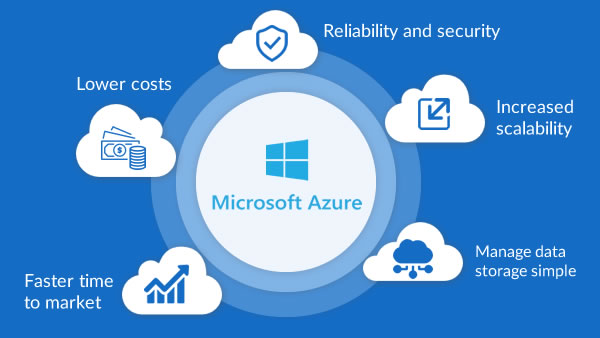
Microsoft Azure solutions can help you shift business operations to the cloud at your own pace

Microsoft Azure: A Cloud for Every Dream Superior cloud infrastructure to help accelerate innovation and growth

Accelerate growth with superior cloud infra

Moving workloads to the cloud as part of their digital transformation journey is high on priority for any business today. While there is tremendous pressure to accelerate the cloud journey, businesses also need to make the right decision on the right partner who will support their cloud dreams. TTBS has partnered with Microsoft Azure, to offer superior cloud infrastructure as a Service (IaaS), and 24/7 support.

Business on the cloud gets safer, faster for SMBs

Small and medium-sized companies are turning to the cloud to run key aspects of their businesses, like applications and databases. Moving these workloads into the cloud—or running them in hybrid environments—can take a real burden off managing them in-house. Microsoft Azure solutions for infrastructure enables shift of business operations to the cloud at a custom pace, giving SMBs the ability to transform computing, storage, networking, security, and management.

Benefits of Azure

  • Scalability: Easily scale resources up or down.
  • Global Presence: Operates in 60+ regions worldwide.
  • Integration: Seamless compatibility with Microsoft products like Office 365 and Power Platform.
  • Cost Management: Pay-as-you-go pricing and cost management tools.

Would you like details about a specific Azure product or how it compares to other platforms like AWS or Google Cloud?

Azure Services

  • Overview of core services: VMs, App Services, SQL Database, Blob Storage, etc.
  • AI and Machine Learning tools
  • Azure DevOps and CI/CD pipelines
  • Serverless computing: Azure Functions, Logic Apps

Microsoft Azure offers a flexible pricing model tailored to various business needs, with charges based on usage, services, and region. Here’s a snapshot of the latest pricing updates and tools available for users in India:

💸 Key Pricing Insights (India, 2025)

  • Price Adjustment: As of February 1, 2024, Microsoft increased INR prices for cloud products by 6% to align with global USD-based pricing.
  • Transparent Cadence: Microsoft now adjusts cloud pricing twice a year based on currency fluctuations, ensuring consistency across geographies.
  • GST Invoice Support: Businesses purchasing Azure services through platforms like Techjockey can receive GST-compliant invoices, aiding input tax credit claims.

🧮 Azure Pricing Tools

  • Azure Pricing Calculator: Customize estimates for virtual machines, databases, storage, and more. You can collapse detailed configurations for a cleaner view.
  • Microsoft Cost Management: Offers real-time monitoring, invoice reconciliation, and cost optimization tools for enterprises and partners.

Getting Microsoft Azure solutions is straightforward, but the path depends on whether you’re an individual, a business, or an enterprise. Here’s a clear breakdown:

🌐 Ways to Access Azure Solutions

  • Azure Portal:
    • Go to www.infinian.net
    • Sign in with a Microsoft account (personal, work, or school).
    • From here, you can deploy virtual machines, databases, AI services, networking, and more.
  • Azure Marketplace:
    • Browse pre-built solutions (apps, VMs, SaaS offerings) from Microsoft and partners.
    • Categories include AI, analytics, DevOps, security, and industry-specific solutions.
    • Available at www.infinian.net
  • Certified partners (like Infinian Technology Pvt Ltd) provide tailored Azure solutions.
  • Useful if you need consulting, migration, or managed services.

🛠️ Steps to Get Started

  1. Define your needs:
    • Cloud hosting, AI/ML, data analytics, IoT, DevOps, or enterprise apps.
  2. Create an Azure account:
    • Register with your Microsoft ID.
  3. Select services/solutions:
    • Use the portal or marketplace to deploy.
  4. Configure resources:
    • Set up VMs, storage, networking, or databases.
  5. Monitor & optimize:
  • Use Azure Monitor, Cost Management, and Security Center.

📊 Popular Azure Solutions

  • Compute: Virtual Machines, App Services, Kubernetes (AKS).
  • Data & AI: Azure SQL, Cosmos DB, Synapse Analytics, Azure AI Studio.
  • Networking: VPN Gateway, Load Balancer, CDN.
  • Security: Azure Active Directory, Defender for Cloud.
  • Industry Solutions: Healthcare, retail, manufacturing, finance

An In-Depth Comparison of the Two Leading Cloud ...

AWS introduced by Amazon offers a vast array of cloud computing services, including computing power, storage, databases, and more. Azure introduced by Microsoft provides similar services with a strong integration into Microsoft's ecosystem, including Windows Server and Office 365.

Microsoft Azure is a public cloud computing platform—with solutions including Infrastructure as a Service (IaaS), Platform as a Service (PaaS), and Software as a Service (SaaS) that can be used for services such as analytics, virtual computing, storage, networking, and much more.

Employers often seek candidates with certifications that align with their specific cloud infrastructure. AWS certifications are generally more sought after in startups and tech companies, while Azure certifications are more in-demand in large enterprises and organizations with existing Microsoft infrastructure.

Estimate Workload Cost Using the Pricing Calculator
  1. Go to the Azure Pricing Calculator page.
  2. Find the Products tab, and click on the Virtual Machines option.
  3. Change the text—Your Estimate and Virtual Machines—with descriptive names.
  4. Replace the default VM configuration with your own specifications.

Google Workspace Price/Cost Plans in India

Infinian Technology Dealer, Distributor and Partner of Google Workspace business solutions Provider in India – Bangalore and Chennai for Price/Cost and Tariff Plan Call: 9739091119

Benefits of Using Google Workspace from Tata Business Services

Boosts collaboration with tools designed for work from anywhere

Helps connect and collaborate with team, customers, and partners

Helps you manage your tools easily and reduces costs

Helps protect your business with enterprise-grade security

Everything you need to get work done, in one place

Flexibility, hybrid workplace, work from anywhere are buzzwords that reflect the changes in how we work today. Google Workspace, which seamlessly works with all the core applications of work, like email, chat, voice and video calling, collaboration, storage, task management, security tools etc.

Work from anywhere, simplified

Google Workspace is built to boost communication, increase productivity, and positively influence collaboration and innovation. Google Workspace solutions you can connect with your team, customers, and partners seamlessly and securely, from wherever you are. 

Google Workspace (formerly known as G Suite) offers a suite of business tools designed to help organizations of all sizes streamline productivity, collaboration, and communication. Here’s an overview of the key features and benefits:

Key Features for Businesses

  • Seamless Collaboration: Real-time editing and commenting across apps.
  • Security: End-to-end encryption, advanced threat protection, and data loss prevention.
  • Scalability: Options for small teams to large enterprises with tailored solutions.
  • Cross-Platform Accessibility: Available on desktops, laptops, tablets, and smartphones.
  • Integration: Works well with third-party tools like Slack, Zoom, Salesforce, and others.

🌐 What Google Workspace Offers

  • Communication tools: Gmail, Calendar, Meet, and Chat for email, scheduling, and video conferencing.
  • Collaboration tools: Docs, Sheets, Slides, Forms, Sites, and Keep for real-time teamwork.
  • Storage: Google Drive with flexible cloud storage options.
  • AI-powered features: Gemini AI integrated into Gmail, Docs, Sheets, and more for smart suggestions and automation.
  • Admin controls: Centralized management of users, devices, and security settings.

📊 Google Workplace Pricing Plans (India & Global)

Google Workspace offers tiered plans depending on business size and needs:

💼 Google Workspace Pricing Plans (India)

PlanPrice (per user / month)Key Features
Business Starter₹160.65 (1-year commit) or ₹193.38 (flexible)• 30 GB pooled storage
• Custom business email
• 100 participant video meetings
• Security & admin controls
• Gemini AI assistant in Gmail
Business Standard₹864 (1-year commit) or ₹1,040 (flexible) Everything in Starter, plus:
• 2 TB pooled storage
• 150-participant video meetings with recording & noise cancellation
• eSignature with Docs & PDFs
• Appointment booking pages
• Mail merge/custom layouts for email
• NotebookLM research assistant
Business Plus₹1,700 (1-year commit) or ₹2,050 (flexible)Everything in Standard, plus:
• 5 TB pooled storage
• 500-participant video meetings with attendance tracking
• Vault (archiving, eDiscovery)
• Secure LDAP, advanced endpoint management
• Enhanced security & faster support
EnterpriseContact sales for pricingIncludes all Plus features, plus:
• Option for more than 5 TB storage
• S/MIME encryption for Gmail
• Live streaming (in-domain) up to 1,000 users
• Data Loss Prevention (DLP), Context-Aware Access, Enterprise endpoint management
• AI classification for Drive, and other enterprise-grade controls

You can contact Google Workspace directly through their official support and sales channels. If you’re a business looking to subscribe or an existing customer needing help, Google provides different contact options depending on your situation

📞 How to Contact Google Workspace

1. Sales Enquiries

  • Use the official Google Workspace Contact Page to connect with a sales specialist. Contact: 9739091119
  • You’ll need to provide details such as:
    • Business name
    • Number of employees
    • Country (India in your case)
    • Business email and phone number
  • After submitting, a Google Cloud sales representative will reach out to you.

Google Workspace in India starts at about ₹540 per user/month for the Business Starter plan, with higher tiers like Business Standard (~₹1,080/month) and Business Plus (~₹1,700/month). Enterprise plans are custom-priced.

🇮🇳 Google Workspace Pricing in India (Approx.)

Google also shows localized pricing in Indian Rupees (INR). These are approximate figures (annual commitment vs flexible billing may vary):

Plan (India)Monthly/User (Annual)Monthly/User (Flexible)Notes
Business Starter~₹160–₹270~₹19330 GB storage, email, meetings, security.
Business Standard~₹864–₹1080~₹10402 TB storage, 150-person meetings & recordings, advanced AI
Business Plus~₹1700+~₹1700+5 TB storage, Vault, enhanced security & admin.
EnterpriseCustomCustomTailored features and price via sales.

💡 Introductory & reseller offers: Many Google Workspace partners in India offer initial discounts (e.g., ₹160 for Starter) for the first 12 months for a limited number of users. After this promo period, prices go to standard rates.

📌 What’s Included in All Plans

Google Workspace business subscriptions typically include:

  • Custom business email
  • Gmail, Drive, Calendar, Docs, Sheets, Slides, Chat
  • Google Meet video conferencing
  • AI tools (e.g., Gemini) integrated across apps
  • Security & management controls (varies by tier)

🧠 Tips for Saving on Costs

  • Annual commitment plans are cheaper than monthly flexible billing.
  • Resellers / partners often provide discounted pricing in India.
  • Get a 14-day free trial before committing.

💡 Key Notes

  • Discounts: Google often offers 20% off for the first 3 months for new sign-ups.
  • Billing options: Flexible monthly billing is slightly more expensive than annual commitments.
  • AI Integration: All plans now include Gemini AI assistant features across Gmail, Docs, Meet, and Chat.
  • Storage differences: Starter (30 GB), Standard (2 TB), Plus (5 TB), Enterprise (unlimited/custom).

⚠️ Considerations

  • Reseller pricing: Indian resellers sometimes offer slightly different rates (e.g., Starter ₹6,480–₹10,368/year depending on partner).
  • User limits: Business editions are capped at 300 users; larger organizations need Enterprise.
  • Hidden costs: Add-ons like Google Voice or Gemini Advanced may increase total spend.

Google Workspace is suitable for:

  • Businesses of all sizes (startups to large enterprises)

  • Educational institutions (via Workspace for Education)

  • Non-profits (with special pricing)

  • Teams needing collaboration, secure communication, and cloud storage

ApplicationPurpose
GmailProfessional email with custom domain support
DriveCloud storage and file organization
DocsWord-processing documents
SheetsSpreadsheets
SlidesPresentations
MeetVideo conferencing
Chat / SpacesMessaging and team collaboration
CalendarScheduling and appointments
FormsSurveys and data collection
SitesSimple website builder

Yes. Google Workspace allows you to host professional email using your own domain name (e.g., name@yourcompany.com) instead of a generic Gmail address.

Google Workspace is typically billed monthly or annually per user, with pricing based on the edition you choose (e.g., Business Starter, Business Standard, Business Plus, Enterprise).
Each edition offers different limits on storage, security features, and administrative controls.

Storage depends on the plan:

  • Business Starter: ~30 GB per user

  • Business Standard: ~2 TB per user

  • Business Plus: ~5 TB per user

  • Enterprise: Custom / unlimited* (may vary)

(*Unlimited for qualifying accounts; otherwise pooled storage applies.)

Yes. One of the standout features of Google Workspace is real-time collaboration:

  • Multiple users can edit Docs, Sheets, or Slides simultaneously

  • Changes are saved automatically

  • Commenting and version history help track edits

Yes. It offers multi-layered security features, including:

  • Two-factor authentication (2FA)

  • Single Sign-On (SSO)

  • Data loss prevention (DLP)

  • Mobile device management

  • Admin controls for permissions and access policies

FeatureGoogle WorkspaceMicrosoft 365
Email & CalendarGmail & Google CalendarOutlook & Calendar
CollaborationCloud-native, browser-centricDesktop + cloud apps
Offline capabilityAvailable (but cloud-focused)Strong offline support via desktop apps
StorageShared Drive & personal DriveOneDrive & SharePoint
FamiliaritySimple, modern UIFamiliar Office apps

In brief: Google Workspace excels at cloud collaboration and simplicity, while Microsoft 365 offers deeper desktop application integration and advanced features for some enterprise workflows.

Yes. Google Workspace supports integrations with many third-party services, such as:

  • CRM systems (e.g., Salesforce)

  • Project management tools (e.g., Asana, Jira)

  • Communication platforms (e.g., Slack)

  • Workflow automation (e.g., Zapier)

Yes. Certain apps (e.g., Gmail, Docs, Sheets, Slides) can work offline if you enable offline mode in the browser or via mobile apps. Once reconnected, changes sync automatically.

Google provides tools and support to migrate:

  • Emails, contacts, and calendars from Outlook, Exchange, or other email providers

  • Files from other cloud storages like OneDrive or Dropbox

  • User data via migration tools or third-party services

Migration complexity depends on size and source systems.

Yes. Support is available through:

  • Admin console help center

  • Online documentation

  • 24/7 phone and email support (varies by plan)

Smart Cloud Services

Tata Smart Cloud Services and Solution Provider in India – Bangalore, Chennai for Price/Cost Call: 9739091119

Smart Cloud Services — especially in the context of business technology and what it typically refers to when offered by providers like Tata Tele Business Services (TTBS) and similar managed service vendors:

☁️ Tata Smart Cloud Services—offered by Tata Tele Business Services (TTBS)—are designed to help businesses manage their IT infrastructure with agility, security, and cost-efficiency. These services are especially beneficial for small and medium enterprises (SMEs) that want to streamline operations without investing heavily in hardware or in-house expertise.

Specialized support at every stage of cloud management

Discover the True Value of Your Cloud

Businesses of all industries and sizes need to be able to be manage their IT requirements efficiently if they want to improve productivity, reduce costs, and streamline workflow. Even if you have an in-house IT team, they might not have the time to painstakingly focus on security, compliance, governance of IT infrastructure, day in and day out. This is where Managed Services Partners (MSPs) come in. TTBS offers to be your trusted partner and help you manage the highly complex and rapidly changing cloud needs.

Specialized Cloud Management Services for SMBs

Small and Medium Businesses in particular need strategic partners who can handle their IT operations by enabling IT agility and lowering fixed costs. While MSPs serve organizations of all sizes, they are especially beneficial to SMBs across industries. Outsourcing to Managed Service Providers helps SMBs gain advanced data security, 24/7 support and overall reduction in technology costs.

🔧 Core Offerings

  • Cloud Migration Services: Seamless transition from on-prem or other cloud platforms (AWS, Azure)
  • Cloud Operation Services: Monitoring, patching, and infrastructure management
  • Cloud Optimization Services: Reduce total cost of ownership while maintaining performance
  • Cloud Professional Services: Short-term expert support to maximize ROI

🛡️ Key Features

  • Trusted Expertise: Architectural guidance and cloud design
  • Security & Compliance: Risk mitigation and regulatory alignment
  • Integrated Services: Centralized monitoring and support
  • Analytics & Reports: Periodic audits with actionable insights
  • Best-in-Class SLA: Fast, prioritized support from TTBS

💼 Business Benefits

  • Cost Efficiency: Lower fixed costs and maximize cloud ROI
  • 24/7 Support: Round-the-clock assistance and monitoring
  • Scalability: Easily adapt to changing business needs
  • Digital Transformation: Accelerate innovation with smart cloud tools

Tata Smart Cloud Services in India are priced starting around ₹1,000–₹1,250 per month for entry-level cloud telephony and communication solutions (like Smartflo IVR AI and auto-dialer packages). Enterprise-grade cloud hosting, storage, and advanced solutions are typically custom-priced depending on usage, bandwidth, and security requirements.

☁️ 1. Tata Smartflo Cloud Communication / Cloud Telephony (by Tata Tele Business Services)

This is often referred to as Smart Cloud Services for business communication — a cloud-hosted contact centre, telephony, and unified communications solution.

📊 Indicative Pricing (India)

Per License / Per Channel Costs:

  • Smartflo Lite
    • One-time setup: ₹5,000
    • Monthly rental: ₹950 per license (minimum 3-month commitment = ₹2,850)
  • Smartflo Pro
    • One-time setup: ₹10,000
    • Monthly rental: ₹1,250 per license
  • Smartflo ITS
    • One-time setup: ₹10,000
    • Monthly rental: ₹1,000 per license
  • Smartflo OBD Unlimited
    • One-time setup: ₹10,000
    • Monthly rental: ₹1,200 per concurrency
  • Smartflo API C2C / Usage-based billing
    • One-time setup: ₹20,000
    • Monthly platform fees: ₹25,000 / ₹1,00,000 / ₹5,00,000 (tiered)
  • Smartflo Voice Streaming Unlimited
    • One-time setup: ₹20,000
    • Monthly rental: ₹1,100 per concurrency

💡 Some versions start around ₹2,000 per channel per month (~$24) depending on features and scale.

⚙️ What Tata Smart Cloud Offers

  • Smartflo CPaaS: Cloud-based communication platform for IVR, call management, and customer engagement.
  • Cloud Hosting: Infrastructure-as-a-Service (IaaS) for enterprises needing secure, scalable hosting.
  • Disaster Recovery & Backup: Business continuity solutions with high availability.
  • SmartOffice Integration: Bundled connectivity + cloud storage for SMEs/startups

💡 Key Considerations

  • Entry-level plans: Affordable for SMEs (₹1,000–₹1,250/month).
  • Enterprise solutions: Pricing is customized based on storage, compute, and compliance needs.
  • Location-specific tariffs: Rates may vary between Bengaluru, Mumbai, and other cities.
  • Reseller involvement: Many Tata Tele Business Services (TTBS) partners provide quotes and support.

⚠️ Risks & Trade-offs

  • Hidden costs: Setup, hardware, or add-on services may increase total spend.
  • Vendor lock-in: Switching providers can be complex due to bundled services.
  • Scalability limits: SME packages may not suit large enterprises without customization.

In short: Expect ₹1,000–₹1,250/month for Tata Smart Cloud communication services in India, while full-fledged enterprise cloud hosting/storage solutions are custom-priced.

Here’s a clear Q&A guide to Tata Smart Cloud Services — the managed cloud-support offering from Tata Tele Business Services (TTBS) that helps businesses adopt and manage cloud environments more effectively.

Smart Cloud Services help businesses by:

  • Reducing technical complexity of cloud adoption

  • Improving security, compliance, and governance

  • Lowering operational costs

  • Freeing internal teams from daily maintenance duties

  • Providing 24×7 support from cloud experts

Smart Cloud Services help businesses by:

  • Reducing technical complexity of cloud adoption

  • Improving security, compliance, and governance

  • Lowering operational costs

  • Freeing internal teams from daily maintenance duties

  • Providing 24×7 support from cloud experts

Tata SIP Trunk Solution Price/Cost Tariff Plan Call: 9739091119

Tata SIP (Session Initiation Protocol) Trunking solution, Service and Connection Provider in Bangalore and Chennai for Price/Cost Tariff Plans Call: 9739091119

Tata SIP Trunk Service is an enterprise-grade IP voice solution from Tata Tele Business Services (TTBS) that enables organizations to connect their IP-PBX systems to the public telephone network using a single IP connection. It replaces multiple traditional PRI/PSTN lines with a scalable SIP-based architecture, supporting voice, video, and unified communications over the same network.

What is Tata SIP Trunk?

SIP (Session Initiation Protocol) Trunk is a VoIP technology that establishes communication sessions between an enterprise PBX and the telecom network through IP connectivity. Tata SIP Trunk allows businesses to consolidate voice infrastructure, reduce telecom costs, and scale call capacity without installing additional physical lines.

Key Features of Tata SIP Trunk

  • Supports 20 to 1,500 simultaneous calls through a single IP connection.
  • Replaces multiple PRI and PSTN circuits.
  • 99.5% SLA-backed uptime for business continuity.
  • Dual last-mile auto-failover for redundancy.
  • Channel-on-Demand scalability.
  • Real-time SIP monitoring and management.
  • Flexible DID (Direct Inward Dialing) number allocation.
  • HD Voice Quality using industry-standard codecs.
  • Seamless integration with IP-PBX, Unified Communications, and Contact Center platforms.

Benefits of Tata SIP Trunk Service

1. Lower Telecom Costs

Organizations can eliminate multiple PRI ports and fixed PSTN lines by using a single SIP connection, reducing infrastructure and maintenance costs.

2. Scalability on Demand

Businesses can increase or decrease channels based on requirements without installing additional hardware. TTBS offers Channel-on-Demand functionality for flexible capacity management.

3. Business Continuity

Automatic failover and SLA-backed infrastructure help maintain uninterrupted communications during network issues.

4. Centralized Communications

Multiple locations can utilize a centralized SIP platform, simplifying voice infrastructure management.

5. Future-Ready Infrastructure

SIP Trunk supports voice, video conferencing, messaging, and unified communications through IP networks.

Technical Specifications

FeatureSpecification
TechnologySIP (Session Initiation Protocol)
ConnectivityIP-Based
Simultaneous Calls20 – 1,500
Voice QualityHD Voice
PBX SupportIP-PBX, UC Platforms
DID SupportYes
Failover SupportDual Last Mile
SLA Availability99.5%
MonitoringReal-Time SIP Monitoring

Ideal Industries

  • BPO & Call Centers
  • IT & ITES Companies
  • Banking & Financial Services
  • Healthcare Organizations
  • Manufacturing Enterprises
  • E-Commerce Companies
  • Educational Institutions
  • Multi-Location Enterprises

Tata SIP Trunk vs PRI

ParameterSIP TrunkPRI Line
TechnologyIP-BasedISDN E1
ScalabilityUp to 1,500 Calls30 Calls per PRI
InfrastructureSingle IP LinkDedicated Physical Circuit
ExpansionSoftware-BasedHardware-Based
Cost EfficiencyHighModerate
Multi-site SupportExcellentLimited

What is Tata SIP Trunk?

A VoIP-based voice connectivity solution that links an IP-PBX to the public telephone network through SIP technology.

How many concurrent calls does Tata SIP Trunk support?

TTBS SIP Trunk supports between 20 and 1,500 simultaneous calls through a single IP connection.

Can Tata SIP Trunk replace PRI lines?

Yes. SIP Trunk can replace multiple PRI and PSTN lines while providing greater scalability and flexibility.

Does SIP Trunk work with existing IP-PBX systems?

Yes. Tata SIP Trunk integrates with most SIP-compatible IP-PBX and Unified Communication platforms.

Tata SIP Trunk Solution and Service Price, Cost & Tariff Plans (2026)

Tata SIP Trunk is an IP-based enterprise voice solution that enables organizations to connect their IP-PBX systems to the public telephone network through a single SIP connection. It supports 20 to 1,500 simultaneous calls, offers 99.5% SLA-backed uptime, Channel-on-Demand scalability, and business continuity features.

Tata SIP Trunk Tariff Plans

The following plans are published by Tata Tele Business Services (TTBS) and are suitable for businesses requiring SIP-based voice connectivity.

SIP PlanMonthly RentalFree Call ValueLocal Mobile RateSTD Rate
SIP 250₹250₹250₹0.80/min₹0.80/min
SIP 350₹350₹350₹0.70/min₹0.70/min
SIP 500₹500₹500₹0.50/min₹0.50/min
SIP 700₹700₹700₹0.30/min₹0.50/min
SIP 500 UL₹500Unlimited*₹0.12/min₹0.12/min
SIP 850 UL₹850Unlimited*₹0.00/min₹0.00/min

*Fair Usage Policy may apply. ILD charges are additional.

Outbound Dialing (OBD) SIP Plans

OBD PlanMonthly RentalFree Call ValueCall Charges
SIP 500 OBD₹500₹500₹0.15 / 15 sec
SIP 750 OBD₹750₹750₹0.12 / 15 sec

Enterprise SIP Trunk Cost (Indicative)

Enterprise SIP Trunk deployments are typically customized based on:

  • Number of concurrent channels
  • DID requirements
  • Geographic coverage
  • Redundancy requirements
  • Call volume commitments
  • Existing PBX infrastructure

Indicative market pricing for business SIP trunks in India starts around ₹3,000–₹7,500 per month for small deployments and can exceed ₹18,000–₹20,000 per month for 30-channel enterprise configurations. Actual TTBS commercial quotations vary by location and business requirements.

Benefits of Tata SIP Trunk

Reduced Telecom Costs

SIP Trunk can reduce communication costs by consolidating multiple PRI and PSTN lines into a single IP-based platform.

Easy Scalability

Organizations can add or remove channels without installing additional physical telecom circuits.

Business Continuity

Dual-link redundancy and automatic failover help maintain uninterrupted communications.

Multi-Location Connectivity

Ideal for enterprises operating across multiple offices and branch locations.

What is the starting price of Tata SIP Trunk?

Published SIP plans start from ₹250 per month, while enterprise SIP trunk deployments are customized according to channel requirements and business usage.

How many concurrent calls can Tata SIP Trunk support?

TTBS SIP Trunk supports between 20 and 1,500 simultaneous calls.

Can Tata SIP Trunk replace PRI lines?

Yes. SIP Trunk can replace multiple PRI circuits while providing greater flexibility and scalability.

Does Tata SIP Trunk support existing IP-PBX systems?

Yes. It integrates with SIP-compatible IP-PBX, Unified Communications, and Contact Center platforms.

Tata PRI Line Connection Price/Cost Tariff Plan Call: 9739091119

Tata PRI Line (Primary Rate Interface) Connection Provider in Bangalore and Chennai for Price/Cost and Tariff Plan Call: 9739091119

Tata Point-to-Point Leased Line Connection | Call: 9739091119

Accelerate your business with seamless communication

A Tata PRI (Primary Rate Interface) Line Connection is an enterprise-grade voice communication service that connects an organization’s PBX/EPABX system to the Public Switched Telephone Network (PSTN). It is designed for businesses that require high-volume inbound and outbound calling with reliable voice quality and dedicated telecom infrastructure

Key Features of Tata PRI Connection

Suitable for call centers, customer support teams, and corporate offices.

Supports up to 30 simultaneous calls on a single PRI line.

Dedicated voice channels ensure consistent call quality.

Compatible with EPABX and IP-PBX systems.

Uniform pilot number across multiple offices.

Supports DID (Direct Inward Dialing) numbers.

Closed User Group (CUG) calling options.

Enterprise-friendly centralized billing.

Benefits of Tata New PRI Line Connection

1. Superior Voice Quality

Since PRI uses dedicated telecom circuits rather than shared internet bandwidth, it delivers stable and high-quality voice communication.

2. High Call Capacity

A single PRI connection can handle 30 simultaneous calls, making it ideal for organizations with heavy call traffic.

3. Enhanced Reliability

PRI services operate independently of internet connectivity, reducing call disruptions caused by network congestion.

4. Business Continuity

Organizations can maintain uninterrupted customer communication through dedicated voice infrastructure and SLA-backed services. Tata reports an SLA with up to 99.5% network availability.

5. Scalability

Businesses can increase capacity by adding additional PRI circuits as communication requirements grow.

Tata PRI Connection Technical Specifications

FeatureSpecification
TechnologyISDN PRI (E1)
Simultaneous Calls30
Channel Bandwidth64 Kbps per channel
ConnectivityFiber / Copper
PBX SupportEPABX, IP-PBX
DID SupportYes
Video Conferencing SupportYes
Pilot Number FacilityYes
SLA AvailabilityUp to 99.5%

Industries That Use Tata PRI

  • Call Centers & BPOs
  • IT & ITES Companies
  • Manufacturing Enterprises
  • Healthcare Organizations
  • Educational Institutions
  • Banking & Financial Services
  • Hospitality Industry

PRI remains a preferred solution for businesses requiring secure, high-quality voice communications and large call volumes.

What is the full form of PRI?

PRI stands for Primary Rate Interface.

How many calls can a Tata PRI line support?

A standard E1 PRI supports 30 simultaneous calls.

Does Tata PRI support DID numbers?

Yes. Tata PRI supports Direct Inward Dialing (DID) numbers for departments and extensions.

Is PRI better than SIP Trunk?

PRI offers dedicated voice channels and consistent call quality, while SIP Trunk provides greater flexibility and scalability through IP networks. The best choice depends on business requirements.

Can Tata PRI be integrated with an EPABX?

Yes. Tata PRI terminates directly on PRI-enabled EPABX and PBX systems.

Tata PRI Line Connection Contact

For new Tata PRI line installation, migration, or enterprise voice solutions in Bangalore and Chennai businesses can consult authorized Tata business partners for site feasibility, pricing, and deployment support.

Tata PRI Line Connection is a dedicated enterprise voice solution that provides 30 simultaneous call channels over an E1 circuit, supports PBX/EPABX integration, delivers superior call quality, offers DID and pilot number capabilities, and is backed by enterprise-grade SLAs for reliable business communications.

Tata New PRI Line Connection Price / Cost & Tariff Plans (2026)

A Tata PRI (Primary Rate Interface) Line is an enterprise voice connectivity solution that enables up to 30 simultaneous calls on a single E1 circuit, making it suitable for call centers, corporate offices, hospitals, educational institutions, and customer support operations. Tata’s PRI service includes SLA-backed uptime, DID numbers, CLIP support, and PBX/EPABX integration.

Indicative Tata PRI Line Tariff Plans

Note: Tata Tele Business Services (TTBS) generally provides customized quotations based on city, call volume, infrastructure availability, DID requirements, and contract tenure. Publicly available pricing is indicative only.

Plan TypeSuitable ForMonthly Rental (Approx.)
Basic PRI PlanSmall Businesses₹12,000 – ₹25,000
Business PRI PlanMedium Enterprises₹25,000 – ₹40,000
Enterprise PRI PlanCall Centers & Large Organizations₹40,000 – ₹60,000+
Custom PRI SolutionMulti-location EnterprisesCustom Quote

One-Time Installation Charges

ComponentApproximate Charges
PRI Installation₹1,000 – ₹2,500
DID Number Block₹500 – ₹1,000
CLIP Activation₹500 – ₹1,000
PRI Card / GatewayExtra (as applicable)

Technical Specifications

FeatureSpecification
PRI TypeE1 PRI
Voice Channels30
Bandwidth Per Channel64 Kbps
ConnectivityFiber / Copper
DID SupportYes
CLIP SupportYes
Pilot NumberYes
SLA Availability99.5%
PBX SupportEPABX / IP-PBX

How many calls can a PRI Line handle simultaneously?

A standard E1 PRI supports 30 concurrent calls.

Does Tata PRI support DID numbers?

Yes. Tata PRI supports Direct Inward Dialing (DID/DDI) ranges for departments and extensions.

Can PRI be connected to an EPABX?

Yes. PRI lines terminate on PRI-enabled EPABX or IP-PBX systems.

https://images.openai.com/static-rsc-4/b8yKwh39o0-x9fTw_j6HW1HQwv1h7JFllT-SCBVtlBoSBVSGthZrzYTB6U_AfUhnu0UuHDTDjaUkihxao-IIq1rhWQ5PxCpxLUT_4rOSwhO7OngW-VGhF83a60XRWI840biGH-bvTnMq555gRMgMkYjLgukBLBDn_sN97q3ZGv124oasdxgdxiLwvmZxsCIt?purpose=fullsize
https://images.openai.com/static-rsc-4/AGxPreoLmj2TUFkDyhJUpZm2Ont-FaCjFTGso-h2a8PI1RZC-pg-4vZe9_5-ds7JUdi-OtHdXKxQo5y6oKe2puyAkWqAnH_MI1w-MSF2SnCp6mIRfBrLeXOPYAL5F5brHKi1Olk9rsZnL0twkeghaiduGS7DW4gODWwUbwEsy3_DZ7U5n8V0q5Ouk7aOjkKY?purpose=fullsize
https://images.openai.com/static-rsc-4/kwuJ9FrjPbk5Q18TmJruLWKI8IncvHckSQFP2ByUg6rSVXfIp_3NZyFvm3NpxNEm1izQw2DsP7g4vOVJ1pxk_DQEnp25CHyPzH87sL5XHNn-L83JmoD_R0s1hwrYenZv-Xr0ABIwLB32_-MKwNJhNmvoc2knGUY3eAGz2oHBKOz8Ma6I8jHtrQsWzTiZx9rm?purpose=fullsize

Tata PRI Line Connection

Imagine your school has only one telephone.

If someone is talking on it, everyone else has to wait.

Now imagine your school has 30 telephones connected through one big telephone cable.

Many teachers, the principal, and the office staff can all make or receive calls at the same time.

That’s what a Tata PRI (Primary Rate Interface) Line Connection does for a business.

Easy Explanation

  • ☎️ A PRI line is made for business phone calls, not internet.
  • 🏢 It connects your office phone system (PBX) to the Tata telephone network.
  • 👥 Many employees can make and receive calls at the same time.
  • 📞 Customers don’t hear a busy tone just because one person is already on a call.

Simple Example

Think of a supermarket.

  • ❌ One checkout counter = only one customer at a time.
  • ✅ Thirty checkout counters = many customers at the same time.

A Tata PRI line is like having many checkout counters for phone calls.

How It Works

Tata Telephone Network
          │
      Tata PRI Line
          │
      Office PBX
   ┌──────┼──────┐
Desk Phone  Desk Phone  Desk Phone

Why Businesses Use It

  • 📞 Multiple calls at the same time
  • 🎧 Better customer service
  • 🏢 Ideal for offices and call centers
  • 🔢 One main business phone number
  • 📈 Easy to add more users as the business grows

Where It Is Used

  • Customer support centers
  • Banks
  • Hospitals
  • Hotels
  • Schools and colleges
  • Corporate offices
  • Sales teams

In One Sentence

A Tata PRI Line Connection is a business telephone service that lets many people in the same office make and receive phone calls simultaneously using a single connection to the telecom network.

SmartOffice Solution

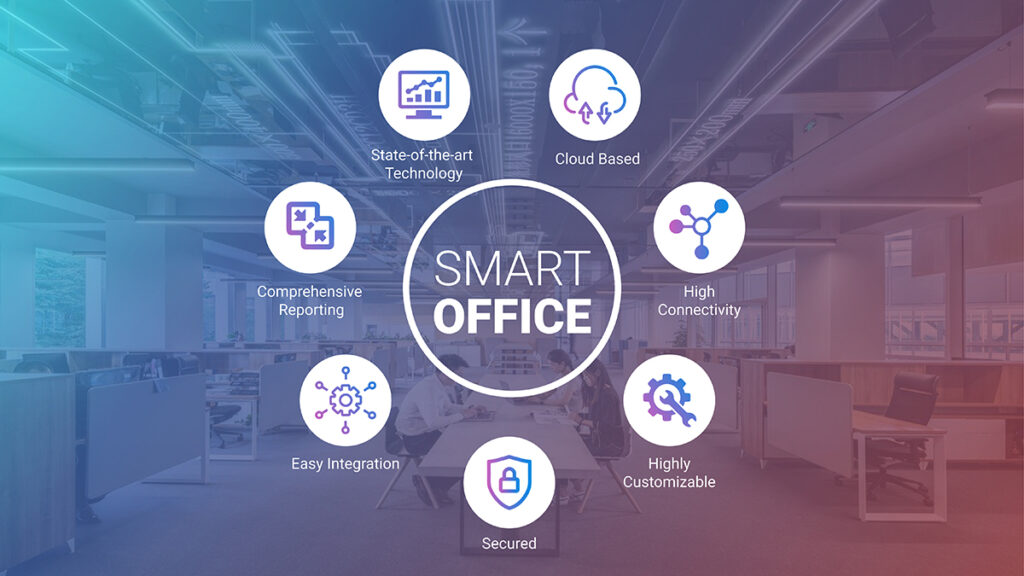
SmartOffice Solution is a comprehensive “office-in-a-box” business connectivity and productivity solution — often offered by Tata Tele Business Services (TTBS) — that bundles essential communication and IT infrastructure into a single, easy-to-deploy managed service for small and medium enterprises (SMEs) in India – Bangalore, Chennai for Price/Cost Call: 9739091119

SmartOffice: All-in-One Innovative Single Box Solution

Upgrade to an one-stop-solution offering voice, data and apps which is easy to deploy, reliable and affordable.

Tata SmartOffice Solution is an all-in-one, plug-and-play communication and IT setup designed for businesses that want to simplify their infrastructure without compromising on performance. Offered by Tata Tele Business Services (TTBS), it’s ideal for startups, branch offices, and SMEs looking for a cost-effective, integrated solution.

📦 What’s Inside the SmartOffice Box

  • Voice + Data + Apps: Unified connectivity for internet, telephony, and business applications
  • Inbuilt Hardware: Includes Wi-Fi, firewall, router, and DHCP server
  • SIP Trunking: For scalable and secure voice communication
  • Dedicated Bandwidth: Ensures high-speed internet with minimal downtime
  • Web-Based GUI: Easy configuration and monitoring
  • PSTN & IP Compatibility: Works with both analog and IP phones

💡 Why Businesses Love It

  • Plug-and-Play Setup: No need for multiple vendors or devices
  • Cost Savings: Reduces CAPEX and AMC charges
  • Reliable & Secure: Enterprise-grade connectivity and data protection
  • Scalable: Easily expand as your business grows
  • 24/7 Support: Round-the-clock assistance from TTBS

Tata SmartOffice Solution in India typically costs around ₹5,000 per month, depending on the service package, location, and provider. It’s marketed as an affordable, all-in-one communication and IT setup for SMEs, startups, and branch offices.

💡 What is Tata SmartOffice?

  • All-in-one solution: Combines voice, data, storage, and apps in a single device.
  • Target audience: Startups, SMEs, and branch offices that want a plug-and-play IT and communication setup.
  • Provider: Offered by Tata Tele Business Services (TTBS)

📌 Considerations Before Buying

  • Location-specific pricing: Rates may vary between cities (Mumbai, Bangalore, Chennai).
  • Contract terms: Typically offered on annual contracts.
  • Customization: Packages may differ based on bandwidth, number of users, and additional services.
  • Support: Provided by Tata Tele Business Services and authorized partners.

🚨 Risks & Trade-offs

  • Hidden costs: Installation, hardware upgrades, or add-on services may increase total cost.
  • Vendor dependency: Since it’s a bundled solution, switching providers could be complex.
  • Scalability limits: Best suited for SMEs; large enterprises may need more advanced setups.

🏢 Ideal For

SmartOffice Solution is particularly useful for:

  • Startups and new offices needing fast, affordable setup.
  • SMEs consolidating voice, data, and productivity services.
  • Branch offices or distributed teams requiring standardized connectivity.

Tata Point-to-Point (P2P) Leased Line Connection Price/Cost, Tariff Plan

Tata Dedicated point to point leased line (P2P) Connection Provider in India – Bangalore and Chennai for Price/Cost and Tariff Plan Call: 9739091119

Tata MPLS-VPN connection Provider in India | Call: 9739091119

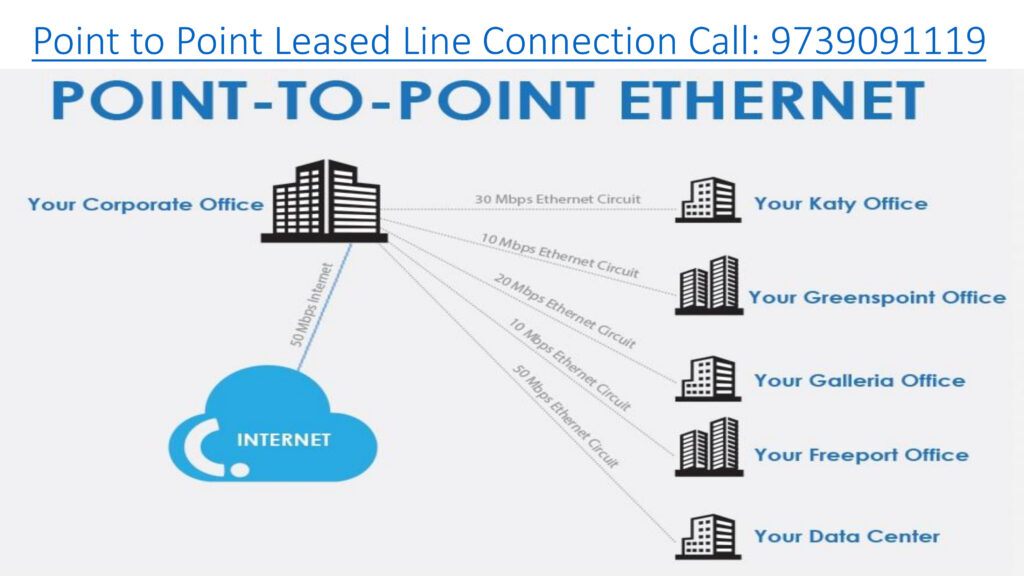
A Tata Communications Point to Point Leased Line Connection provides a secure, dedicated, and high-speed communication link between two business locations. Moreover, it helps organizations transfer data, voice, and video traffic without interruption. As a result, businesses can achieve reliable connectivity for branch offices, data centers, and corporate networks.

Furthermore, Tata Point to Point Leased Line services offer symmetrical bandwidth, which means equal upload and download speeds. Therefore, companies can experience smooth data transmission and uninterrupted business operations. In addition, the connection is highly secure because it uses a private network instead of the public internet.

Key Features of Tata Point to Point Leased Line

  • Dedicated and secure connectivity between two locations
  • High-speed bandwidth with low latency
  • 24/7 network monitoring and technical support
  • Scalable bandwidth options as per business requirements
  • Reliable uptime for critical business applications
  • Supports voice, video conferencing, ERP, and cloud applications

Benefits of Tata Point to Point Connectivity

Firstly, businesses can improve communication between offices with stable connectivity. Secondly, organizations can securely share files, databases, and applications in real time. Moreover, the service minimizes downtime and increases productivity. Consequently, companies can maintain seamless operations across multiple locations.

In addition, Tata leased line solutions are suitable for IT companies, banks, hospitals, manufacturing units, educational institutions, and corporate enterprises. Therefore, businesses that require uninterrupted connectivity often prefer Tata Point to Point Leased Line services.

Applications of Tata Point to Point Leased Line

  • Interconnecting branch offices
  • Data center connectivity
  • CCTV surveillance networking
  • ERP and CRM application access
  • Cloud and server connectivity
  • Video conferencing and VoIP communication

Why Choose Tata Point to Point Leased Line?

Because of its robust network infrastructure, Tata Communications delivers reliable and enterprise-grade connectivity solutions. Additionally, businesses receive dedicated customer support and SLA-backed services. Hence, organizations can ensure secure and uninterrupted communication between locations.

Advantages:

24/7 Availability: Always on, no need to establish connections repeatedly.

Unmetered Data Usage: Often comes with no cap on data transfer.

Quality of Service (QoS): Providers typically ensure consistent performance and low packet loss.

Disadvantages:

Cost: Generally more expensive than shared internet connections.

Limited Flexibility: Fixed endpoints may require reconfiguration if locations change.

Installation Time: Setting up the physical infrastructure can take time.

Point-to-Point Leased Line vs MPLS-VPN

FeaturePoint-to-PointMPLS-VPN
ConnectivityConnects two locationsConnects multiple locations
Bandwidth SharingFully dedicatedShared within the VPN
ScalabilityLimited to two sitesHighly scalable
SecurityHigh (private link)High (private network)
Use CaseSpecific site-to-site needsComplex enterprise networks
CostHigher for single linksEconomical for multiple sites

Considerations

  1. Cost: Typically more expensive than other connectivity options due to its dedicated nature.
  2. Limited Flexibility: Connects only two fixed locations, making it less suitable for businesses needing broader network connectivity.
  3. Installation Time: Deployment might take longer depending on the distance and infrastructure requirements.

When discussing Tata point-to-point connection tariff plans, it’s crucial to understand that these services are primarily geared towards businesses and enterprises, not individual consumers. Therefore, pricing is highly variable and depends on numerous factors. Here’s a breakdown of the key considerations:

Key Points:

  • Tata’s point-to-point connections are enterprise-grade services.
  • Pricing is highly customized.
  • Contact 9739091119 essential for obtaining accurate tariff information.

Here’s a direct comparison of Tata vs Jio Point-to-Point (P2P) leased line connections — ideal for businesses that need dedicated, high-speed connectivity between two locations, like branch-to-HQ or data center interconnects:

Tata Point-to-Point Leased Line (P2P) connection tariff plan, tailored for businesses that need secure, high-speed connectivity between two fixed locations:

🔗 What Is a Point-to-Point Leased Line?

A dedicated Layer 2 connection between two sites—ideal for:

  • Data center-to-office links
  • Real-time applications (VoIP, video conferencing)
  • High-volume file transfers
  • Financial transactions requiring low latency

💰 Tariff Highlights (Indicative)

While Tata doesn’t publish fixed public rates for P2P leased lines (as pricing depends on distance, bandwidth, and location), here’s a general pricing structure based on industry estimates:

These are approximate figures and may vary based on location, last-mile infrastructure, and contract duration.

🛠️ One-Time Charges

  • Installation & Setup: ₹25,000 – ₹1,00,000 depending on distance and media
  • Local Loop Charges: Billed at actuals
  • CPE (Router/Switch): Optional rental or purchase

📈 Key Features

  • Symmetric Bandwidth: Equal upload/download speeds
  • 99.9% Uptime SLA
  • Unmetered Data Usage
  • Low Latency & High Security
  • Customizable Bandwidth (2 Mbps to 1 Gbps+)

📞 How to Get a Quote

Since pricing is customized, you’ll need to contact Tata Tele Business Services directly or visit their Point-to-Point Leased Line page. You can also call their enterprise sales team at 9739091119 for a tailored quote.

Tata Communications offers dedicated point-to-point leased line connections that provide secure, high-speed data links between two business locations, ideal for enterprises needing reliable and private connectivity.

Here’s a detailed Q&A to help you understand Tata’s offering:

  • Consistent performance: No slowdowns during peak hours.
  • High uptime: Often backed by SLAs (Service Level Agreements).
  • Secure communication: Ideal for sensitive data transfer.
  • Symmetrical speeds: Great for VoIP, video conferencing, and cloud access.

    • Connecting corporate headquarters to branch offices
  • Linking data centers or disaster recovery sites
  • Supporting real-time applications like VoIP and video conferencing
  • Providing stable access to cloud services

  • Basic Bandwidth (10 Mbps – 50 Mbps): ₹20,000–₹50,000/month
  • Mid-Tier (100 Mbps – 500 Mbps): ₹60,000–₹1,50,000/month
  • High-Speed (1 Gbps and above): ₹2,00,000+/month

These are approximate figures and vary based on:

  • Distance between endpoints (e.g., within Bengaluru vs. cross-state)
  • Type of infrastructure (fiber vs. copper)
  • Service level guarantees (uptime, latency, support)
  • Installation charges (one-time setup fees may apply)

  • Unmetered data usage (no data caps)
  • 24/7 monitoring and support
  • Symmetrical bandwidth
  • Secure private connection (not routed over public internet)

To get an accurate price Contact: 9739091119

  1. Specify your bandwidth needs (e.g., 100 Mbps, 1 Gbps)
  2. Provide endpoint locations (e.g., Koramangala to Whitefield)
  3. Request SLA details (uptime, latency, support response)

SD-WAN Solutions and Service Provider Call: 9739091119

Infinian Technology Pvt Ltd Partner with Tata Tele Business Services Providing SD-WAN Solutions in India – Bangalore and Chennai for Price/Cost Call: 9739091119

Infinian Technology Pvt Ltd partnership with Tata Tele Business Services, provides advanced SD-WAN solutions for businesses in Bangalore and Chennai. Moreover, the company helps organizations improve network performance, enhance security, and simplify branch connectivity through intelligent WAN management.

Furthermore, SD-WAN technology enables enterprises to connect multiple branch offices, data centers, and cloud applications over a centralized and secure network. As a result, businesses can experience higher application performance, reduced downtime, and better bandwidth utilization.

In addition, Tata Tele SD-WAN solutions offer real-time traffic management and application prioritization. Therefore, organizations can ensure smooth access to cloud applications, video conferencing, ERP systems, and remote working environments. Consequently, businesses can achieve greater operational efficiency and improved user experience.

Key Features of Tata Tele SD-WAN Solutions

  • Intelligent traffic routing and bandwidth optimization
  • Secure connectivity between branch offices
  • Centralized network monitoring and management
  • Improved application performance and low latency
  • Secure cloud connectivity and remote access
  • Scalable solutions for growing enterprises
  • Enhanced network visibility and analytics

Benefits of SD-WAN Services

Firstly, SD-WAN reduces dependency on traditional MPLS networks and lowers operational costs. Secondly, it improves business continuity with automated failover and backup connectivity. Moreover, organizations can manage multiple locations through a single centralized dashboard. Hence, businesses can simplify IT operations while improving network reliability.

Industries Benefiting from SD-WAN

  • IT and Software Companies
  • Manufacturing Industries
  • Healthcare Organizations
  • Educational Institutions
  • Banking and Financial Services
  • Retail and E-commerce Businesses

Because of reliable infrastructure and enterprise-grade connectivity, Infinian Technology Pvt Ltd and Tata Tele Business Services deliver secure and high-performance SD-WAN solutions tailored to modern business requirements.

How does SD-WAN iFLX help SMBs?

SD-WAN iFLX greatly benefits small and medium businesses by providing enhanced network performance, agility, and cost-efficiency. It enables businesses to optimize their network resources, improve application performance, and ensure secure connectivity across multiple locations. It also simplifies network management, reduces the reliance on expensive hardware, and enables efficient utilization of available bandwidth. This technology empowers SMBs to enhance productivity, scalability, and flexibility while minimizing operational complexities and costs associated with traditional WAN solutions.

🔹 Business Use & Tiers

Tata Teleservices markets SD-WAN iFLX with different service levels (e.g., Lite, Pro, Ultra) depending on performance and feature needs, oriented at sectors such as IT/ITeS, BFSI, retail, healthcare, logistics, and more.

🔹 Advantages for SMBs

  • Better network performance & uptime across distributed sites.
  • Service provider agnostic connectivity — works with existing broadband/last-mile links.
  • Enhanced security through integrated Fortinet technologies.
  • OPEX-centric managed service model with minimal upfront CapEx.

In short, SD-WAN iFLX is Tata Teleservices’ managed, Fortinet-powered SD-WAN offering that helps SMBs modernize their wide-area networking with better performance, security, and centralized control, all tailored for distributed cloud-centric environments.

Infinian Technology Channel Partner of Tata Teleservices Pvt Ltd Providing Tata – SD-WAN iFLX Solution Provider in India – Bangalore, Chennai for Price/Cost Call: 9739091119

What is SD-WAN | SD-WAN Defined and How it Works

Some examples of SD-WAN use cases include: Connecting major offices & HQs to each other, or central data-centres. Connecting data-centres to each other. Connecting branch sites to HQ or a data-centre

There are three basic types of SD-WAN deployments: Internet-based SD-WANs, Telco and MSP Managed Service SD-WANs, and SD-WAN as-a-Service.

Compared to Multiprotocol Label Switching (MPLS), Software-defined Wide Area Networks (SD-WAN) can be less expensive, more secure, and provide higher performance. MPLS can have steep bandwidth costs, while SD-WAN protects your network from vulnerabilities that MPLS cannot.

Cloud Connect Solution

EZ Cloud Connect is a cloud connectivity solution offered by Tata Tele Business Services (TTBS) that lets businesses connect directly and securely to major cloud service providers (CSPs) over a private network link, bypassing the public internet for Price/Cost Call: 9739091119

EZ Cloud Connect: Connecting to Cloud Made Easy

Accelerate your adoption of cloud and make your business future-ready with a hybrid and multi-cloud strategy that drives innovation, visibility and control

Benefits of Using EZ Cloud Connect from Tata Tele

From ensuring easy access, to being easy on your pocket and easy to scales as well as protect, this service from TataTele ensures robust connectivity as well as the best in class network

📌 What EZ Cloud Connect Is

Direct private connection to cloud: Instead of routing traffic over the public internet, EZ Cloud Connect establishes a private point-to-point (P2P) connection from your premises or data center to your chosen cloud provider (like AWS, Azure, Google Cloud, Oracle).
Bundled solution: The service typically includes leased line connectivity + cross-connect + cloud port access all in one product, so you don’t need to coordinate between multiple providers.
Secure, predictable performance: By avoiding the public internet, the solution delivers better latency consistency, higher bandwidth throughput, and improved security compared to typical internet-based connections.

Verified by MonsterInsights