

Infinian Technology offers Annual Maintenance Contract (AMC) Service and Support for Dell PowerEdge Tower Server. We are capable of meeting stringent SLAs as per customer business needs, cost effectively. For Quote Price/Cost Call: 9739091119

PowerEdge Tower Server Maintenance Service (AMC)
Infinian Technology Pvt Ltd Offers Dell PowerEdge Tower Server Maintenance Service (AMC) ensures consistent server performance, reduced downtime, and long-term hardware reliability for business environments. An Annual Maintenance Contract helps organizations protect their tower servers beyond warranty and maintain smooth daily operations.
1. What is Dell PowerEdge Tower Server Maintenance Service (AMC)?
Dell PowerEdge Tower Server Maintenance Service (AMC) is a structured annual support plan that includes preventive maintenance, troubleshooting, hardware diagnostics, and technical assistance. It is designed for businesses that depend on Dell tower servers for file sharing, applications, databases, and business operations.
2. Key Features of Dell PowerEdge Tower Server Maintenance Service (AMC)
- Preventive maintenance visits (Quarterly / Half-Yearly)
- Complete hardware health check and diagnostics
- RAID and storage monitoring
- Firmware and BIOS updates
- Power supply and cooling inspection
- 24/7 remote and onsite support
- SLA-based response time
With Dell PowerEdge Tower Server Maintenance Service (AMC), businesses receive proactive server management and faster issue resolution.
3. Types of Dell PowerEdge Tower Server Maintenance Service (AMC) Plans
Comprehensive Dell PowerEdge Tower Server Maintenance Service (AMC)
- Covers spare parts and labor
- Includes hardware replacement support
- Ideal for critical business environments
Non-Comprehensive Dell PowerEdge Tower Server Maintenance Service (AMC)
- Covers service and labor charges
- Spare parts billed separately
- Budget-friendly maintenance option
4. Benefits of Dell PowerEdge Tower Server Maintenance Service (AMC)
- Reduced downtime and operational risk
- Extended server lifespan
- Predictable annual maintenance costs
- Improved system performance
- Dedicated technical support
Choosing Dell PowerEdge Tower Server Maintenance Service (AMC) helps businesses maintain server efficiency and data security throughout the year.
5. Models Covered Under Dell PowerEdge Tower Server Maintenance Service (AMC)

Dell PowerEdge T150
Dell PowerEdge T350
Dell PowerEdge T550
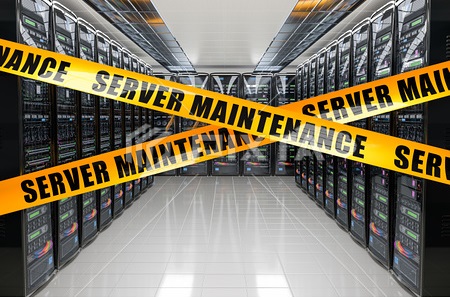
The Dell PowerEdge Tower Server Maintenance Service (AMC) can be customized according to server configuration, business size, and operational requirements.
6. Why Choose Our Dell PowerEdge Tower Server Maintenance Service (AMC)?
- Certified and experienced engineers
- Genuine spare parts support
- Flexible and customizable AMC plans
- Fast response time with SLA commitment
- PAN India service availability
With Dell PowerEdge Tower Server Maintenance Service (AMC), your tower servers remain secure, optimized, and reliable for uninterrupted business growth.
PowerEdge Tower Server Maintenance Service (AMC)
Dell PowerEdge Tower Server Maintenance Service (AMC) is designed to ensure reliable performance and long-term hardware stability for business servers. As businesses increasingly depend on their IT infrastructure, regular maintenance becomes essential. Therefore, an Annual Maintenance Contract helps prevent unexpected failures and costly downtime.
Comprehensive Protection and Preventive Care
Firstly, Dell PowerEdge Tower Server Maintenance Service (AMC) includes scheduled preventive maintenance visits. During these visits, certified engineers perform complete hardware diagnostics and system health checks. Additionally, RAID configuration, storage performance, and firmware versions are reviewed. As a result, potential issues are identified before they escalate into critical problems.
Moreover, power supplies and cooling systems are inspected to ensure optimal server performance. Consequently, businesses experience improved system reliability and reduced operational risks.
Flexible AMC Plan Options
In addition to preventive maintenance, Dell PowerEdge Tower Server Maintenance Service (AMC) offers flexible coverage plans. For instance, comprehensive AMC covers both spare parts and service charges. On the other hand, non-comprehensive AMC covers labor while spare parts are billed separately. Thus, organizations can choose a plan that suits their budget and operational needs.
24/7 Technical Support and SLA Assurance
Furthermore, Dell PowerEdge Tower Server Maintenance Service (AMC) provides 24/7 remote and onsite technical support. Whenever an issue arises, trained engineers respond quickly according to predefined SLA terms. Therefore, downtime is minimized and business continuity is maintained.
Similarly, regular monitoring and reporting improve transparency and system visibility. As a result, IT teams can make informed decisions regarding upgrades and capacity planning.
Benefits of Dell PowerEdge Tower Server Maintenance Service (AMC)
- Reduced downtime and faster issue resolution
- Extended server lifespan
- Predictable annual maintenance costs
- Improved system performance and security
- Professional technical expertise
Ultimately, Dell PowerEdge Tower Server Maintenance Service (AMC) strengthens business continuity. Moreover, it ensures that tower servers operate efficiently throughout the year.
- Moreover, it provides preventive and corrective support to minimize downtime and extend server lifespan.
- In addition, firmware updates, patch management, and performance tuning keep systems optimized for business-critical workloads.
- However, unlike ad-hoc support, AMC offers structured service levels with guaranteed response times.
- Consequently, organizations benefit from improved efficiency, reduced operational costs, and enhanced resilience.
- Ultimately, Dell PowerEdge Tower Server Maintenance Service (AMC) delivers peace of mind by safeguarding mission-critical IT infrastructure.