Infinian Technology Dealer, Distributor, and Partner of Fortinet Access Points: FortiAP-FortiAP-C24JE, 423E, 421E, 321C, 320C, 224E, 223E, 222E and 221E in India – Bangalore, Chennai for Price/Cost Call:9739091119
Optimize your enterprise network with flexible, powerful Fortinet security products.
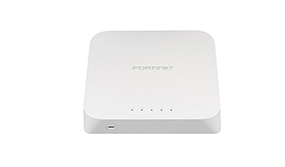
Fortinet FortiAP Access Points
Small business wireless LAN (WLAN) requirements are quite different from those in campuses and distributed branches. Fortinet’s FortiAP Wireless Access Point cover the specific needs of every business, managed easily with a FortiGate UTM appliance or via hosted cloud.
Infinian Technology Dealer, Distributor and Partner of Fortinet-FortiGate Firewalls Appliance Provider in India – Bangalore and Chennai for Price/Cost Call: 9739091119
We Make IT ProcurementEasier
We’re Infinian Technology an ICT Company that delivers hardware and solutions for your business, from the begging stages expansion.
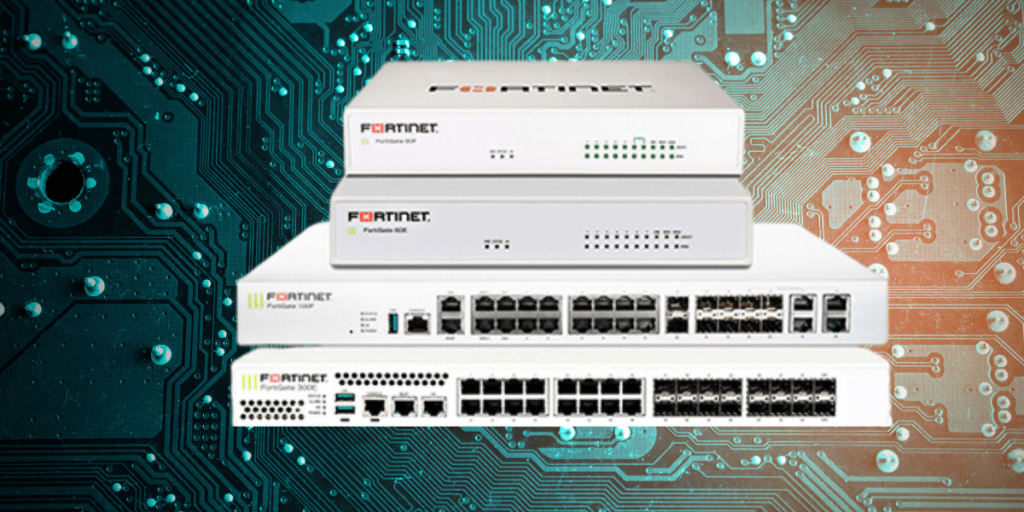
Fortinet FortiGate firewalls are next-generation firewalls (NGFWs) that provide advanced security features, including intrusion prevention, malware protection, and VPN connectivity. They are widely used by enterprises and SMBs for securing networks, detecting threats, and enforcing security policies.
All-in-One Protection: Combines firewall, antivirus, VPN, web filtering, and intrusion prevention in a single device.
Scalable Deployment: Suitable for small offices to large enterprise data centers, with models tailored for Wi-Fi, LTE, PoE, DSL, and rugged environments.
Remote Access: Supports SSL and IPsec VPNs, enabling secure connectivity for remote workers and branch offices.
Encrypted Traffic Inspection: Can inspect SSL/TLS traffic without significant performance degradation, critical in today’s encrypted web landscape.
Compliance Support: Helps organizations meet cybersecurity and data protection standards, making it ideal for regulated industries.
FortiGate Firewall Price Range in India (Approx.)
Model
Approx. Price (INR)
FortiGate 40F
₹35,000–₹45,000
FortiGate 60F
₹60,000–₹80,000
FortiGate 100F
₹1.5L–₹2L
FortiGate 200F
₹3.5L–₹4.5L
FortiGate 600F
₹10L–₹15L
FortiGate 1800F+
₹20L+
Note: Prices vary by reseller, warranty, and license bundle (UTM, Enterprise, Threat Protection).
🔗 Popular Licensing Bundles
UTM Bundle – Basic security features
Enterprise Protection – Full suite (ATP, sandbox, IPS, etc.)
360 Protection – Includes FortiCare, FortiGuard, & Fabric Management
FortiGate Cloud Native Firewall (FortiGate CNF) as a Service protects your AWS and Azure cloud workloads from malware, data breaches, and botnets by blocking risky traffic connections, and it enforces compliance with geo-specific policies, blocking traffic to/from specified countries.
The winner is Fortinet Fortigate. It is a more desired option than Cisco ASA Firewall due to its simplicity of deployment, strong feature set, and good service and support ratings.
Fortinet designs their firewalls to perform at high speeds, even under heavy network traffic loads. They use specialized hardware and software components, such as custom ASICs, to provide fast and efficient packet processing, which results in minimal latency and high throughput.
You can then manage your extensions, such as enabling or disabling them, uninstalling them, and changing their settings. When opened, look for Fortinet extension and delete it. Then if you want it back go to the webstore and download it again.
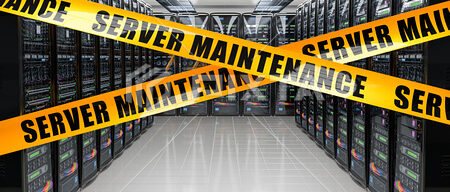
Infinian Technology offers HPE Blade Server Maintenance Service (AMC) is designed to keep enterprise blade servers running at peak efficiency with proactive monitoring, preventive care, and expert support. By ensuring regular maintenance, organizations can reduce downtime, extend hardware lifecycle, and maintain secure, high‑performance IT infrastructure. With structured service levels and skilled technicians, the AMC provides peace of mind for businesses relying on HPE Blade Servers to power mission‑critical operations.For Quote Price/Cost Call: 9739091119
HPE Blade Server Maintenance Service (AMC)
1. Introduction to HPE Blade Server Maintenance Service (AMC)
Importance of AMC for enterprise blade servers
Role of proactive maintenance in IT reliability
2. Scope of HPE Blade Server Maintenance Service (AMC)
Preventive and corrective maintenance coverage
Remote and onsite support options
3. Key Inclusions in HPE Blade Server Maintenance Service (AMC)
Hardware diagnostics and replacement
Firmware and BIOS updates
Patch management and security monitoring
Backup and disaster recovery support
4. Performance Optimization through HPE Blade Server Maintenance Service (AMC)
Server health monitoring
Resource utilization tuning
Storage and network performance checks
5. Service Levels in HPE Blade Server Maintenance Service (AMC)
SLA commitments for quick resolution
24/7 emergency support availability
Escalation procedures
6. Benefits of HPE Blade Server Maintenance Service (AMC)
Reduced downtime and improved reliability
Cost-effective maintenance solution
Enhanced performance and longevity
7. Customization Options in HPE Blade Server Maintenance Service (AMC)
Tailored AMC packages for different blade server models
Flexible contract durations
Add-on services such as virtualization and cloud integration
8. Pricing & Packages for HPE Blade Server Maintenance Service (AMC)
Standard AMC package
Premium AMC package
Enterprise AMC package
9. Terms & Conditions of HPE Blade Server Maintenance Service (AMC)
Contract validity and renewal policies
Exclusions and limitations
Warranty and liability clauses
Moreover, it provides preventive and corrective support to minimize downtime and extend server lifespan.
In addition, firmware updates, patch management, and performance tuning keep systems optimized for business‑critical workloads.
However, unlike ad‑hoc support, AMC offers structured service levels with guaranteed response times.
Consequently, organizations benefit from improved efficiency, reduced operational costs, and enhanced resilience.
Ultimately, HPE Blade Server Maintenance Service (AMC) delivers peace of mind by safeguarding mission‑critical IT infrastructure.
An AMC for HPE Blade Servers is a service agreement that ensures regular maintenance, emergency support, and hardware/software assistance for blade infrastructure. It’s especially useful for data centers using modular systems like HPE Synergy or legacy C7000 enclosures.
Pricing depends on model, location, and coverage. In India, basic AMC for a C7000 enclosure with multiple blades may start around ₹40,000–₹75,000/year.
Blade-server systems (such as HPE’s) are mission-critical infrastructure: high density, complex architecture, shared power/cooling backplane.
Downtime or component failure can cause significant disruption (many blades in one chassis down)
AMC gives predictable cost (maintenance fee) vs adhoc repair costs
They help with preventive maintenance, regular health checks, firmware updates, and hardware replacement — extending the lifespan of the server infrastructure.
For you (as a consulting firm, e.g., Infinian Technology Pvt Ltd), offering AMC review and management is a value-add to clients.
Remote Support: Phone/email/chat support, remote health monitoring tools, alerts.
Spare Parts Coverage: Genuine or certified spares may be included (depending on comprehensive vs non-comprehensive). For example, one provider states: “OEM or compatible spare parts supply including blade motherboards, RAM, SSD/HDD, IO modules, fans, power components.”
SLA Terms: Response times (e.g., 4-6 hours, next business day), support hours (9×5 or 24×7) depending on tier.
The blade server model/generation (e.g., BL460c Gen7 vs Gen9 vs Gen10) and its hardware specs. Older or more complex blades may cost more.
The scope of coverage (labour only vs spares included; remote only vs full on-site).
SLA level (response time, resolution target, 24×7 vs business hours).
Location & number of sites (metro vs remote, multiple sites).
Age of equipment (out of warranty, legacy hardware) — often higher maintenance cost.
Whether monitoring tools and preventive maintenance visits are included. For example: one estimate listed for blade servers: “HPE ProLiant BL460c Gen6: ~₹10,000-13,000/year” and for Gen7: ~₹20,000-24,000/year in India.
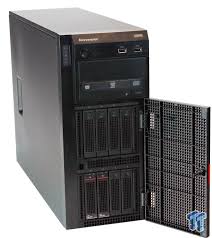
Infinian Technology offers Annual Maintenance Contract (AMC) Service and Support for HPE Tower Servers. We are capable of meeting stringent SLAs as per customer business needs, cost effectively. For Quote Price/Cost Call: 9739091119
HPE Tower Servers (AMC) Service
Tower server has good scalability, many slots, and a wide range of applications, which can meet common server application requirements. Select the most suitable one for your need now.
Infinian Technology Trusted Server Maintenance Company
Annual Maintenance Contract (AMC) for your HPE Tower Servers? Here’s what an AMC typically includes for high-performance enterprise servers like the HPE Tower Servers:
HPE Tower Servers AMC Coverage
Preventive Maintenance – Regular hardware diagnostics, firmware updates, and performance tuning. Break-Fix Support – Repair and replacement of faulty components (CPU, RAM, storage, RAID controllers, etc.). 24/7 Remote Support – Troubleshooting assistance via phone, email, or chat. On-Site Support – Engineer visits for physical repairs (depending on the contract type). Performance Optimization – Ensuring server uptime and efficiency. Security Patches & Updates – Keeping your system up to date with the latest firmware and security patches.
Types of AMC Services for HPE Tower Servers Third-Party AMC – Cost-effective and customizable contracts from independent service providers. Custom AMC Plans – Tailored SLAs (Service Level Agreements) based on business needs (e.g., priority response times, 24×7 support).
📊 Estimated Pricing Guide
HPE Tower Model
Estimated AMC Cost (₹/year)
ML30 Gen9/10, ML110 Gen9/10
₹10,000 – 15,000
ML350 Gen9/10
₹15,000 – 25,000
High-end ML350 variants (densest)
₹20,000 – 30,000+
Prices can vary based on CPU/RAM/storage configuration, support scope, SLA uptime, and location.
💡 Cost Influencers
Server complexity – More cores, drives, RAID, etc., increase costs.
Support coverage – On-site vs. remote-only, parts included, response time SLAs.
Geographic reach – Coverage in metros is typically included; remote areas may incur travel charges.
Contract terms – Multi‑year or multi‑server deals often attract discounts.
✅ Recommendations
Identify your exact tower model and spec (e.g., ML350 Gen10 with dual CPUs vs ML30 with single CPU).
Request quotes from reputable third-party providers (e.g., Infinian) and authorised resellers.
Clarify SLA scope, parts coverage, response times, emergency support, and location specifics.
Consider multi‑year deals to reduce the per-annum cost.
HPE Tower Server AMC (Annual Maintenance Contract) provides comprehensive support for HPE’s entry-level and mid-range tower servers, ensuring reliable performance, reduced downtime, and extended hardware life. Here’s a detailed Q&A to guide you:
An AMC for HPE Tower Servers is a service agreement that offers scheduled maintenance, emergency support, and hardware/software assistance for a fixed term—typically one to three years. It’s ideal for small to medium businesses using servers like the HPE ProLiant ML series.
Tower servers (e.g., HPE ProLiant ML110, ML30, ML350) are often used for key business functions—branch-office servers, SMB backbone, departmental applications. Their failure can cause significant disruption.
After the standard warranty ends, failure risk goes up and repair cost becomes unpredictable — an AMC brings cost-predictability.
Preventive maintenance under AMC helps catch issues (faulty fans, power supplies, storage drives) before they cause downtime; many AMC providers list this as a feature.
For your consulting agenda: this fits with your “system audit” and “upgrade & support” services—an AMC is part of lifecycle management of server hardware.
Services vary by contract tier, but typically include:
Preventive Maintenance: Periodic (quarterly/bi-annual) site visits; cleaning, firmware/BIOS/driver updates; health checks of server components.
Break-Fix Support: On-site or remote diagnosis of hardware failures; replacement of failed components (if included) such as power supply, fans, memory, storage drives.
Remote Monitoring/Support: Some level of remote help-desk or remote access for troubleshooting.
Spares Coverage: In “comprehensive” AMC contracts, genuine parts or OEM certified parts are covered.
SLA Commitments: Defined response times (4-6 hours, 24 hours, etc), uptime expectations, engineer visit commitments.
Reporting/Documentation: Maintenance records, incident logs, health reports.
Server model & configuration: Higher-end towers (dual CPUs, many drives, lots of RAM) cost more. For example, ML350 vs ML30 towers.
Scope of spares coverage: Inclusion of major components vs only minor parts.
SLA/Support level: Faster response/resolution, 24×7 support raise cost.
Location/site: Servers in remote or non-metro areas may incur higher travel/response cost.
Contract length: Multi-year vs single year; older server (end-of-warranty) may cost more.
Preventive visits frequency, remote monitoring capabilities, included reporting. For instance: one provider lists for “HPE Tower Model ML30 / ML110 Gen9/10” an estimated AMC cost of ₹10,000 – 15,000/year, and for “ML350 Gen9/10” about ₹15,000 – 25,000/year in India.
Infinian Technology offers AMC Service, maintenance and Support for data center server equipment from OEMs like Dell, Lenovov and HP. We are capable of meeting stringent SLAs as per customer business needs, cost effectively.
Server AMC (Annual Maintenance Contract) Service is a crucial support agreement offered to ensure your servers run efficiently, securely, and with minimal downtime. Here’s everything you need to know:
Infinian Technology Server Maintenance Service (AMC)
Infinian Technology Server Maintenance Service (AMC) is designed to deliver reliable, secure, and high-performance IT infrastructure support for businesses of all sizes. Our AMC solutions ensure proactive monitoring, timely updates, and expert technical assistance to minimize downtime and maximize productivity.
Why Choose Infinian Technology for Server AMC?
Infinian Technology provides comprehensive server maintenance backed by experienced engineers and structured service processes. We focus on preventive care, rapid issue resolution, and long-term infrastructure stability. As a result, your business operations remain uninterrupted and efficient.
Preventive Maintenance Services
Regular preventive maintenance is essential for server health and longevity.
Routine server health checks
Firmware and BIOS updates
Operating system optimization
Backup verification and log monitoring
Storage and RAID configuration checks
Through scheduled maintenance visits, we identify potential issues early and prevent major failures.
Corrective & Breakdown Support
Despite preventive measures, technical issues may arise. Therefore, Infinian Technology offers quick and reliable corrective support.
Remote troubleshooting assistance
On-site technical support
Hardware diagnostics and replacement coordination
Performance issue resolution
This ensures minimal downtime and faster recovery.
Security & Patch Management
Server security is a critical component of any AMC plan.
Regular security patch updates
Antivirus and firewall configuration checks
Vulnerability assessments
Access control review
By keeping systems updated and protected, we safeguard your business from cyber threats.
Performance Monitoring & Optimization
Continuous monitoring helps maintain optimal server performance.
CPU, RAM, and disk usage monitoring
Network performance analysis
Capacity planning recommendations
Resource utilization reports
With proactive performance management, your servers operate smoothly even during peak workloads.
Hardware & Software Support Coverage
Our AMC covers both hardware and software components.
Support for Windows and Linux servers
Application troubleshooting
Storage and virtualization support
Coordination with OEM vendors when required
This integrated approach ensures complete server ecosystem management.
Flexible & Cost-Effective AMC Plans
Infinian Technology offers customized AMC plans tailored to your business requirements.
Comprehensive AMC (Parts + Service)
Non-Comprehensive AMC (Service Only)
Quarterly / Half-Yearly / Annual contracts
SLA-based support options
Predictable pricing helps businesses manage IT budgets efficiently.
🔹 Key Factors That Decide AMC Cost
Type of Server – Entry-level (Tower servers), Rack servers, Blade servers, or High-end Enterprise servers.
Brand – HP, Dell, Lenovo, Cisco, IBM, etc.
Configuration – Processor, RAM, storage capacity, RAID, etc.
Coverage Level –
Basic (break-fix, phone/email support)
Comprehensive (includes spares + on-site support)
24×7 with SLA (mission-critical support)
Location – Availability of service engineers in your city/region.
Contract Duration – 1 year, 3 years, or 5 years. Longer contracts often reduce yearly cost.
🔹 Typical Price Range in India (Approx.)
Entry-level Server (Dell T-series, HP ML series, Lenovo ST series): ₹8,000 – ₹15,000 per year
Mid-range Rack Servers (Dell R series, HP DL series, Lenovo SR series): ₹15,000 – ₹40,000 per year
High-end Enterprise Servers (Cisco UCS, IBM Power, HP Synergy, Dell PowerEdge High Config): ₹50,000 – ₹2,00,000+ per year
Comprehensive AMC (with spare parts) usually costs 25–40% higher than Non-Comprehensive (only service).
Comprehensive AMC → Includes engineer visit + spare parts replacement (HDD, RAM, SMPS, etc. – usually not covering physical damages like burns or misuse).
Infinian Technology provides Annual Maintenance Contract (AMC) services maintenance for servers from major OEMs like Dell, Lenovo, and HP, ensuring reliable performance, reduced downtime, and cost-effective support.
Server preventive maintenance involves regular checks and updates to keep servers secure, reliable, and high-performing, reducing downtime and avoiding costly failures. It’s a proactive approach rather than waiting for issues to occur.
🛠 Key Preventive Maintenance Tasks
🔒 Security & Updates
Apply patches and updates: Keep operating systems, firmware, and applications up to date.
Rotate passwords: Regularly update admin and user credentials to reduce risk of breaches.
Run vulnerability scans: Identify and fix security gaps before attackers exploit them.
📊 Monitoring & Performance
24/7 monitoring tools: Track CPU, memory, and disk usage to detect bottlenecks.
Check event logs: Review system and application logs for unusual activity.
Capacity planning: Monitor server resources to ensure they meet current and future demand.
💾 Data Protection
Verify backups: Ensure backups are complete, recent, and restorable.
Test disaster recovery plans: Simulate recovery scenarios to confirm readiness
⚙️ Hardware & Environment
Inspect hardware: Check fans, power supplies, and drives for wear.
Clean physical servers: Remove dust and ensure proper airflow.
Monitor temperature and power: Prevent overheating and power fluctuations.
👥 User & Application Management
Audit user accounts: Remove unused or outdated accounts.
Fix broken links or applications: Prevent user frustration and downtime.
Infinian Technology Server Maintenance Service (AMC) with Transition Words
Infinian Technology Server Maintenance Service (AMC) is designed to ensure seamless server performance, maximum uptime, and enhanced security for businesses of all sizes. Firstly, our AMC service focuses on preventive maintenance to reduce unexpected failures. Moreover, we provide proactive monitoring to identify and resolve issues before they impact your operations.
1. Preventive Server Maintenance
To begin with, Infinian Technology conducts regular health checks, firmware updates, and system optimization. In addition, we verify backups and review system logs to detect potential risks early. As a result, your servers remain stable, secure, and highly available.
2. Quick Corrective Support
If any issue occurs, our technical team provides immediate remote or on-site support. Furthermore, we follow structured troubleshooting procedures to minimize downtime. Consequently, your business experiences uninterrupted productivity and improved operational efficiency.
3. Security & Patch Management
Most importantly, we implement regular security updates and patch management. Besides that, firewall and antivirus configurations are reviewed periodically. Therefore, your server infrastructure stays protected against emerging cyber threats.
4. Hardware & Software Support
Not only do we support operating systems and applications, but also we handle hardware diagnostics and replacements when necessary. Similarly, storage systems and RAID configurations are monitored carefully. Thus, your critical business data remains safe and accessible.
5. Performance Monitoring & Reporting
Meanwhile, continuous performance monitoring tracks CPU usage, memory allocation, disk health, and network performance. In contrast to reactive maintenance models, our proactive approach prevents performance bottlenecks. Hence, your IT infrastructure operates efficiently at all times.
6. Cost-Effective & Customized AMC Plans
On the other hand, maintaining an in-house IT team can increase operational expenses. However, Infinian Technology offers flexible and customized AMC plans tailored to your business needs. Ultimately, you benefit from predictable IT costs and expert technical support.
Conclusion
In conclusion, Infinian Technology Server Maintenance Service (AMC) ensures reliability, security, and optimal performance. Overall, our proactive approach reduces downtime, enhances system lifespan, and supports business continuity. Therefore, partnering with Infinian Technology for your server AMC requirements is a smart and strategic investment.
Key Features
Comprehensive Coverage: Moreover, AMC includes installation, upgrades, hardware repair, and operating system patch monitoring.
Proactive Monitoring: In addition, Infinian offers 24×7 remote monitoring through its Network Operations Center (NOC).
Flexible SLAs: Furthermore, service-level agreements range from rapid 24×7 response times to next-business-day support, depending on client needs.
Cost Efficiency: As a result, businesses benefit from reduced downtime and optimized performance without overspending.
Benefits
Reliability: Consequently, servers run efficiently and securely with minimal interruptions.
Scalability: Similarly, AMC supports both new installations and upgrades, making it easier to adapt to growing business demands.
Expertise: Finally, Infinian’s in-house technical experts ensure that issues are resolved quickly and effectively.
Why It Matters
In short, Infinian Technology’s AMC service acts as a safeguard for businesses, bridging the gap between performance and peace of mind. By combining proactive monitoring, flexible SLAs, and expert support, it helps organizations focus on growth while their IT backbone remains strong.
for servers is a service agreement between a company and a service provider to maintain and support server infrastructure for a fixed period (usually one year). It ensures that servers are regularly checked, updated, and repaired when needed.
Preventive Maintenance Scheduled checks to avoid hardware failures or performance issues. Breakdown Support: On-call service for hardware or software issues. Software Updates: Installation of patches, firmware updates, and OS upgrades. Hardware Replacement: Includes parts replacement if covered under the contract. Remote & Onsite Support: Depending on the AMC type, support may be remote or involve physical visits. Performance Optimization: Ensuring server uptime, load balancing, and resource management.
Pricing varies based on server type, coverage level, and duration. For example, SPARC Enterprise M3000 AMC includes support for hardware like processors, memory, and I/O subsystems
Yes. For instance, Tally offers AMC for its accounting software, covering license support, data issues, and configuration help. SAP users may also track AMC contracts through procurement modules.
Servers are critical infrastructure — downtime, data loss or performance issues can severely impact business operations.
An AMC helps ensure preventive maintenance, monitoring, quick breakdown resolution and budget‐predictability (fixed contract cost rather than ad-hoc emergency fixes).
It can extend the life of the server hardware, keep performance optimal, and reduce unplanned repair costs.
Inventory and classify servers: Document all servers (brand/model/configuration, location, warranty/AMC status, criticality).
Define SLA & service requirements: Agree with business what minimum uptime is needed, what response time is acceptable, what parts coverage is required.
Short-list potential AMC vendors: Get proposals, check coverage for their region (Mysuru / Karnataka), verify spare parts availability and engineer response.
Smartflo UCaaS: Unified Communication (UC) solutions integrate voice, video, messaging, and collaboration tools into a single platform, enabling seamless, real-time communication across devices and locations for Price/Cost Tariff Plans Call: 9739091119
Smartflo UCaaS, offered by Tata Tele Business Services (TTBS), is a Unified Communications as a Service solution. It enables enterprise-grade voice calls and integrates seamlessly with platforms like Microsoft Teams, allowing employees to connect from desktops, laptops, or mobile devices.
Simplify management, focus on growth with Smartflo UCaaS
Integrate telephony with Microsoft Teams
Call any customer mobile/landline number
Single service provider with access to all benefits
Eliminate voice infra and save costs
Streamline Communication, Cut Costs with Smartflo UCaaS
Smartflo UCaaS solution works with Microsoft Teams allowing users to call any landline or mobile number from their desktop, laptop or mobile using the corporate network.
For small and medium-sized businesses (SMBs), UCaaS offers transformative benefits. It eliminates the need for expensive infrastructure, reducing costs and freeing up capital. SMBs can easily scale their communication capabilities as their business grows.
🔹Smartflo (Tata Tele Business Services)
Cloud Telephony + Contact Center Suite
Includes IVR, intelligent call routing, real-time analytics, live agent monitoring, sentiment analysis, voice‑to‑text, API/CRM integration, click‑to‑call, missed‑call campaigns, voice broadcasting, and call recording.
Deployment & Support
Zero installation charges, 99.5–99.99% uptime SLA, fully managed by TTBS, scalable on-demand.
Microsoft Teams Integration
Operator Connect integration enables PSTN calling within Teams, with roaming inside India, direct peering to Microsoft Cloud for better quality
✅ Key Benefits Across Offerings
Cost Savings: VoIP replaces traditional PSTN; usage-based pricing.
Scalability & Flexibility: Quickly scale, support remote/hybrid teams.
Integration Ready: APIs for CRM, MS Teams, Webex, third-party apps.
Global Reach: Presence in India and ~48+ countries with toll numbers.
To begin with, Smartflo UCaaS reduces high maintenance burdens associated with traditional systems.
Next, it improves customer service by unifying communication channels.
Furthermore, it offers scalability and flexibility to adapt to evolving business needs.
As a result, organizations can ensure business continuity even during disruptions.
Smartflo UCaaS (Unified Communications as a Service) is a cloud-based business communication solution designed to streamline calling, messaging, and collaboration. Moreover, it helps organizations improve customer engagement while reducing infrastructure costs.
First of all, Smartflo UCaaS enables businesses to manage voice calls through the cloud, eliminating the need for traditional PBX systems. In addition, it offers features such as IVR, call routing, call recording, and real-time analytics.
Furthermore, Smartflo integrates seamlessly with CRM platforms, ensuring that teams can track and manage customer interactions efficiently. As a result, businesses can enhance productivity and deliver faster responses.
On the other hand, companies that rely on outdated communication systems often face scalability issues. However, with Smartflo UCaaS, organizations can easily scale up or down based on their requirements.
In addition, the platform supports remote and hybrid work environments. Therefore, employees can stay connected from anywhere using mobile apps or web-based dashboards.
Not only does Smartflo improve internal communication, but it also strengthens customer support operations. For example, features like call queuing and intelligent routing ensure that customers are connected to the right department quickly.
Similarly, advanced reporting tools provide valuable insights into call performance. Consequently, management can make data-driven decisions to optimize operations.
To sum up, Smartflo UCaaS offers a flexible, scalable, and cost-effective communication solution. Ultimately, it empowers businesses to enhance collaboration, improve customer satisfaction, and achieve operational efficiency.
Tata Smartflo: cloud communication / cloud telephony Service and Solution Provider in India – Bangalore and Chennai for Price/Cost Tariff Plans Call: 9739091119
Smartflo is Tata Tele Business Services’ cloud-based Contact Center as a Service (CCaaS) platform designed to help businesses deliver seamless customer engagement across multiple communication channels.
Smartflo is a cloud-based communication suite that helps businesses handle customer interactions across voice, SMS, WhatsApp, and digital channels without heavy hardware setup.
It’s basically a virtual contact center and cloud telephony solution, accessible via internet or mobile, that replaces traditional PBX/EPABX systems.
Your turn to flow forward with a multi-modal, multi-functional, flexible, scalable, and secure solution that ensures digital connectivity and productivity at all times. Brace for a business world without boundaries.
Smartflo CCaaS: A Tata TeleServices platform offering omnichannel contact-center‑as‑a‑service (voice, email, WhatsApp, SMS, video), with intelligent call routing, real-time monitoring, analytics dashboards, CRM integration, and 24/7 support
Smartflo UCaaS: A unified communications solution enabling voice, text, video conferencing integration—fully integrated with Microsoft Teams—aimed at hybrid-office environments
Smartflo Call Management App: Android version: Helps track business incoming/outgoing call logs, click‑to‑call features, and active call monitoring
iOS version: Similar functionality available for iPhone users as of May
A cloud voice + messaging app for enterprises, enabling CUG, voice recording, roaming, and secure/fraud-compliant communication.
GlobalRapide Cloud Number & Global SIP Trunks
Cloud-based global/local phone numbers, SIP trunk service for inbound/outbound calling, worldwide voice infrastructure, fraud detection, CRM/UC integration.
Cisco Webex & Cisco-Hosted Calling
Fully managed calling service powered by Cisco, integrated with Webex or on-prem endpoints; global PSTN in 240+ countries, 25+ country calling plans, user self-service portal.
🚀 Key Features
Omnichannel Communication: Integrates voice, WhatsApp, email, SMS, and video for unified customer interaction.
Intelligent Call Routing: Automatically connects customers to the right agent or department in real time.
Advanced Reporting & Analytics: Offers actionable insights into contact center performance.
Interactive Voice Response (IVR): Automates call handling for faster resolutions.
AI-Powered Assistance: Uses machine learning for intelligent predictions and insights.
Real-Time Monitoring: Tracks agent performance and call quality.
Cloud-Based Scalability: Easily adapts to growing business needs.
CRM Integration: Seamlessly connects with leading CRM platforms.
Self-Service Options: Enables customers to resolve queries independently.
24/7 Support: Ensures uninterrupted operations.
🔹 What is Smartflo?
Smartflo is a cloud-based communication suite that helps businesses handle customer interactions across voice, SMS, WhatsApp, and digital channels without heavy hardware setup.
It’s basically a virtual contact center and cloud telephony solution, accessible via internet or mobile, that replaces traditional PBX/EPABX systems.
🏢 Ideal For
Customer support teams
Sales and service centers
Remote and hybrid workforces
Businesses seeking digital transformation
Smartflo by Tata Tele Business Services (TTBS) starts at around $24 (approx. ₹2,000) per channel per month, with flexible tariff plans depending on the number of users, channels, and features required. Pricing scales based on whether you need UCaaS (Unified Communications as a Service) or CCaaS (Contact Center as a Service) solutions.
💰 Smartflo Pricing & Tariff Plans
1. Base Pricing
Starting Price: $24 / ₹2,000 per channel per month
Channel-based model: You pay per communication channel (voice, SMS, WhatsApp, etc.), making it scalable for small and large businesses.
2. UCaaS (Unified Communications as a Service)
Integrates with Microsoft Teams for seamless calling.
Eliminates traditional voice infrastructure, reducing costs.
Suitable for businesses needing internal collaboration + external calling
3. CCaaS (Contact Center as a Service)
Designed for customer support teams.
Includes voice, email, WhatsApp, SMS, and video channels in one platform.
Offers real-time monitoring, call routing, and analytics.
Flexible tariffs depending on agent seats and communication channels
📊 Cost-Saving Benefits
No hardware investment: Cloud-hosted PBX removes upfront infrastructure costs.
Pay-as-you-grow: Add or remove channels/users as needed.
Unified billing: One provider for multiple communication modes
You can get Smartflo by signing up with Tata Tele Business Services (TTBS).
Once you subscribe, TTBS sends you a welcome email with login credentials and a portal link. You can then access Smartflo via its web portal, Chrome softphone extension, or Android app. Contact: 9739091119
Infinian Technology Dealer, Distributor and Partner of Microsoft 365 Product and Solution Provider in India – Bangalore and Chennai for Price/Cost Tariff Plans Call: 9739091119
From simplifying internal processes to boosting productivity, Microsoft 365 unlocks the potential of your employees and technology.
Introduction to Microsoft Office 365
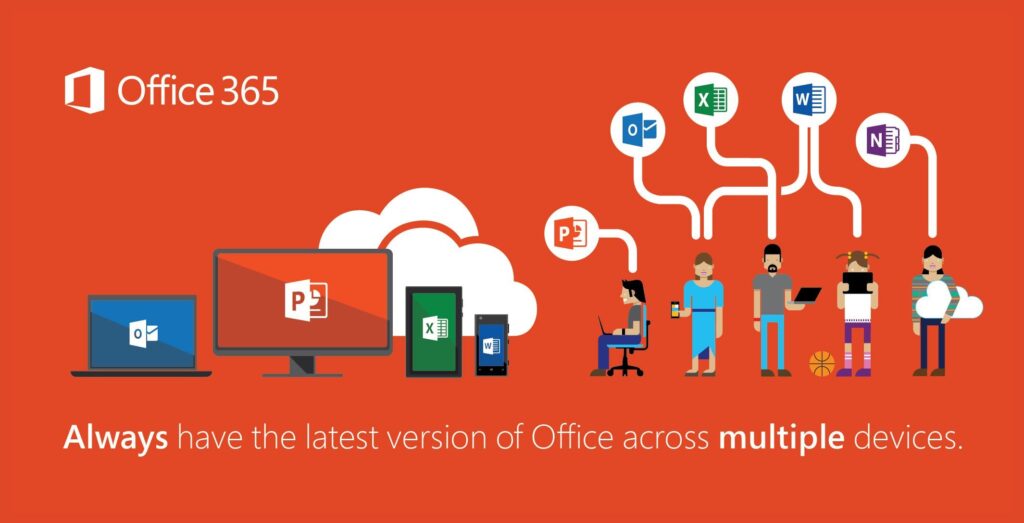
Microsoft Office 365 is a cloud-based productivity suite designed to help businesses streamline communication, collaboration, and document management. It combines essential Office applications with cloud services to support modern workplaces.
Core Applications
Office 365 includes widely used tools such as:
Microsoft Word
Microsoft Excel
Microsoft PowerPoint
Microsoft Outlook
Microsoft OneDrive
Microsoft Teams
These applications enable users to create documents, analyze data, manage emails, and collaborate in real time.
Cloud Storage & Accessibility
OneDrive cloud storage allows users to access files from anywhere, on any device. Additionally, automatic syncing ensures that files remain updated across platforms.
Collaboration & Communication Tools
Microsoft Teams integrates chat, video conferencing, and file sharing into a single platform. As a result, teams can collaborate efficiently whether working remotely or in-office.
These features help protect business data and ensure regulatory compliance.
Scalability & Subscription Plans
Office 365 offers flexible subscription plans suitable for small businesses, enterprises, and educational institutions. Therefore, organizations can scale services based on their operational needs.
Benefits for Businesses
Improved productivity
Enhanced team collaboration
Secure cloud infrastructure
Reduced IT maintenance costs
Regular automatic updates
Conclusion
Microsoft Office 365 is a comprehensive cloud productivity solution that empowers businesses with secure, scalable, and collaborative tools for modern digital operations.
Microsoft 365 empowers your workforce to work whenever and wherever is most convenient for them. This flexibility helps boost productivity, foster collaboration, and business agility to meet the challenges of the digital workplace.
Microsoft 365 (formerly Office 365) is a comprehensive suite of productivity, communication, and collaboration tools designed for businesses, educational institutions, and individuals. It integrates cloud-based apps with advanced security and management features.
Key Benefits
Integration: Works seamlessly with Windows, Azure, and other Microsoft services.
Mobility: Access tools and files from any device.
Regular Updates: Always up-to-date with the latest features.
Flexibility: Tailored plans for different business sizes and industries.
Microsoft 365 is Microsoft’s cloud-based suite of productivity apps and services, including Word, Excel, PowerPoint, Outlook, Teams, OneDrive, and advanced security tools. It’s available for individuals, businesses, enterprises, and education, with subscription plans tailored to different needs.
Collaboration & Business Tools
SharePoint – Document management and intranet sites.
Bookings – Online appointment scheduling.
Planner & Project – Task and project management.
Yammer (Viva Engage) – Enterprise social networking.
Security & Management
Microsoft Defender – Security for endpoints, identity, and email.
Intune – Device and app management.
Azure Active Directory – Identity and access management.
Advanced Threat Analytics – Detect and respond to cyber threats.
Creative & AI Tools
Designer – Graphic design powered by AI.
Clipchamp – Video editing.
Copilot – AI assistant integrated into Word, Excel, PowerPoint, Outlook, and Teams.
Microsoft 365 Plans
1. For Individuals / Families
(Source: Microsoft Store)
Plan
Price
Who It’s For / Key Features
Microsoft 365 Personal
₹ 689 / month or ₹ 6,899 / year
For 1 person, up to 5 devices, 1 TB OneDrive, desktop + web Office apps.
Microsoft 365 Family
₹ 819 / month or ₹ 8,199 / year
For up to 6 people; each gets 1TB OneDrive + full Office apps.
Microsoft 365 Premium
₹ 1,999 / month or ₹ 19,999 / year
Includes Copilot (AI), more usage limits, advanced security, and productivity features.
2. Business Plans
(Source: Microsoft business pricing)
Plan
Price (per user / month)
What It Offers
Business Basic
₹ 145 / user / month (annual commitment)
Web + mobile Office apps, 1 TB OneDrive, Microsoft Teams, business email.
Business Standard
₹ 770 / user / month (annual)
Everything in Basic + desktop Office apps (Word, Excel, PowerPoint, Outlook), webinars, Microsoft Loop, Clipchamp.
Business Premium
₹ 1,830 / user / month (annual)
Everything in Standard + advanced security: Defender, device management (Intune), identity management (Entra), data protection.
Apps for Business
₹ 685 / user / month (annual)
Only Office apps + 1TB OneDrive. No business email or Teams.
Add-ons / Extra Services:
Microsoft 365 Copilot — ₹ 2,495 / user / month (annual)
Teams Phone (Standard) — ₹ 830 / user / month
Microsoft Defender for Business — ₹ 250 / user / month
3. Enterprise Plans
(Source: Microsoft enterprise pricing)
Plan
Price (per user / month)
Highlights
Microsoft 365 E3
₹ 2,995 / user / month (annual)
Full Office apps (web + desktop), Teams, advanced security, compliance, and 1–5+ TB storage per user.
Microsoft 365 E5 (without Audio Conferencing)
₹ 4,740 / user / month (annual)
Everything in E3 + analytics (Power BI), advanced threat protection, compliance, and identity management.
Microsoft 365 F3 (Frontline)
₹ 665 / user / month (annual)
Designed for frontline workers: basic productivity + communication tools, limited installation on devices.
⚠️ Things to Keep in Mind
All above prices are annual commitment (unless otherwise mentioned) and are “auto-renew.”
GST (Goods and Services Tax) is extra on business/enterprise plans.
Add-on services (like Copilot or Teams Phone) are not part of base plans — they cost extra.
Enterprise plans offer more storage (“1 to 5+ TB”) depending on usage.
You can get Microsoft 365 directly from through authorized resellers. It’s available as a subscription service, so you pay monthly or annually depending on your plan.
🛠 Steps to Get Microsoft 365
1. Purchase Online
Go to the official www.infinian.net
Choose a plan (Personal, Family, Business, or Enterprise).
Sign in with your Microsoft account (or create one).
Complete the purchase with a credit/debit card or other available payment methods.
2. Business & Enterprise Plans
For organizations, you can buy licenses through the Microsoft partner.
Contact: 9739091119
3. Retail & Resellers
Microsoft 365 subscriptions are also available via: www.infinian.net or Contact: 9739091119
includes the most collaborative, up-to-date features in one seamless, integrated experience. Microsoft 365 includes the robust Office desktop apps that you're familiar with, like Word, PowerPoint, and Excel.
You can choose to pay for your subscription on a monthly or yearly basis, and the Microsoft 365 Family plan lets you share your subscription with your family for up to 6 people
Top Microsoft 365 partners in India offering cloud productivity, licensing, migration, and support services:
Infinian Technology Dealer, Distributor and partner of Microsoft Azure Products and Solution provider in India – Bangalore and Chennai for Price/Cost Tariff Plans Call: 9739091119
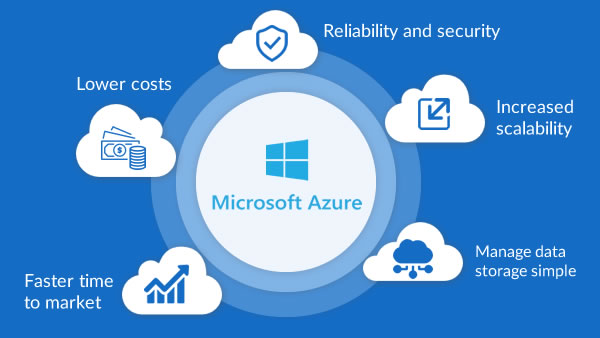
Microsoft Azure solutions can help you shift business operations to the cloud at your own pace
Microsoft Azure: A Cloud for Every Dream Superior cloud infrastructure to help accelerate innovation and growth
Accelerate growth with superior cloud infra
Moving workloads to the cloud as part of their digital transformation journey is high on priority for any business today. While there is tremendous pressure to accelerate the cloud journey, businesses also need to make the right decision on the right partner who will support their cloud dreams. TTBS has partnered with Microsoft Azure, to offer superior cloud infrastructure as a Service (IaaS), and 24/7 support.
Business on the cloud gets safer, faster for SMBs
Small and medium-sized companies are turning to the cloud to run key aspects of their businesses, like applications and databases. Moving these workloads into the cloud—or running them in hybrid environments—can take a real burden off managing them in-house. Microsoft Azure solutions for infrastructure enables shift of business operations to the cloud at a custom pace, giving SMBs the ability to transform computing, storage, networking, security, and management.
Overview of core services: VMs, App Services, SQL Database, Blob Storage, etc.
AI and Machine Learning tools
Azure DevOps and CI/CD pipelines
Serverless computing: Azure Functions, Logic Apps
Microsoft Azure offers a flexible pricing model tailored to various business needs, with charges based on usage, services, and region. Here’s a snapshot of the latest pricing updates and tools available for users in India:
Azure Pricing Calculator: Customize estimates for virtual machines, databases, storage, and more. You can collapse detailed configurations for a cleaner view.
Microsoft Cost Management: Offers real-time monitoring, invoice reconciliation, and cost optimization tools for enterprises and partners.
Getting Microsoft Azure solutions is straightforward, but the path depends on whether you’re an individual, a business, or an enterprise. Here’s a clear breakdown:
An In-Depth Comparison of the Two Leading Cloud ...
AWS introduced by Amazon offers a vast array of cloud computing services, including computing power, storage, databases, and more. Azure introduced by Microsoft provides similar services with a strong integration into Microsoft's ecosystem, including Windows Server and Office 365.
Microsoft Azure is a public cloud computing platform—with solutions including Infrastructure as a Service (IaaS), Platform as a Service (PaaS), and Software as a Service (SaaS) that can be used for services such as analytics, virtual computing, storage, networking, and much more.
Employers often seek candidates with certifications that align with their specific cloud infrastructure. AWS certifications are generally more sought after in startups and tech companies, while Azure certifications are more in-demand in large enterprises and organizations with existing Microsoft infrastructure.
Infinian Technology Dealer, Distributor and Partner of Google Workspace business solutions Provider in India – Bangalore and Chennai for Price/Cost and Tariff Plan Call: 9739091119
Benefits of Using Google Workspace from Tata Business Services
Boosts collaboration with tools designed for work from anywhere
Helps connect and collaborate with team, customers, and partners
Helps you manage your tools easily and reduces costs
Helps protect your business with enterprise-grade security
Everything you need to get work done, in one place
Flexibility, hybrid workplace, work from anywhere are buzzwords that reflect the changes in how we work today. Google Workspace, which seamlessly works with all the core applications of work, like email, chat, voice and video calling, collaboration, storage, task management, security tools etc.
Work from anywhere, simplified
Google Workspace is built to boost communication, increase productivity, and positively influence collaboration and innovation. Google Workspace solutions you can connect with your team, customers, and partners seamlessly and securely, from wherever you are.
Google Workspace (formerly known as G Suite) offers a suite of business tools designed to help organizations of all sizes streamline productivity, collaboration, and communication. Here’s an overview of the key features and benefits:
Key Features for Businesses
Seamless Collaboration: Real-time editing and commenting across apps.
Security: End-to-end encryption, advanced threat protection, and data loss prevention.
Scalability: Options for small teams to large enterprises with tailored solutions.
Cross-Platform Accessibility: Available on desktops, laptops, tablets, and smartphones.
Integration: Works well with third-party tools like Slack, Zoom, Salesforce, and others.
🌐 What Google Workspace Offers
Communication tools: Gmail, Calendar, Meet, and Chat for email, scheduling, and video conferencing.
Collaboration tools: Docs, Sheets, Slides, Forms, Sites, and Keep for real-time teamwork.
Storage: Google Drive with flexible cloud storage options.
AI-powered features: Gemini AI integrated into Gmail, Docs, Sheets, and more for smart suggestions and automation.
Admin controls: Centralized management of users, devices, and security settings.
📊 Google Workplace Pricing Plans (India & Global)
Google Workspace offers tiered plans depending on business size and needs:
💼 Google Workspace Pricing Plans (India)
Plan
Price (per user / month)
Key Features
Business Starter
₹160.65 (1-year commit) or ₹193.38 (flexible)
• 30 GB pooled storage • Custom business email • 100 participant video meetings • Security & admin controls • Gemini AI assistant in Gmail
Business Standard
₹864 (1-year commit) or ₹1,040 (flexible)
Everything in Starter, plus: • 2 TB pooled storage • 150-participant video meetings with recording & noise cancellation • eSignature with Docs & PDFs • Appointment booking pages • Mail merge/custom layouts for email • NotebookLM research assistant
Business Plus
₹1,700 (1-year commit) or ₹2,050 (flexible)
Everything in Standard, plus: • 5 TB pooled storage • 500-participant video meetings with attendance tracking • Vault (archiving, eDiscovery) • Secure LDAP, advanced endpoint management • Enhanced security & faster support
Enterprise
Contact sales for pricing
Includes all Plus features, plus: • Option for more than 5 TB storage • S/MIME encryption for Gmail • Live streaming (in-domain) up to 1,000 users • Data Loss Prevention (DLP), Context-Aware Access, Enterprise endpoint management • AI classification for Drive, and other enterprise-grade controls
You can contact Google Workspace directly through their official support and sales channels. If you’re a business looking to subscribe or an existing customer needing help, Google provides different contact options depending on your situation
After submitting, a Google Cloud sales representative will reach out to you.
Google Workspace in India starts at about ₹540 per user/month for the Business Starter plan, with higher tiers like Business Standard (~₹1,080/month) and Business Plus (~₹1,700/month). Enterprise plans are custom-priced.
🇮🇳 Google Workspace Pricing in India (Approx.)
Google also shows localized pricing in Indian Rupees (INR). These are approximate figures (annual commitment vs flexible billing may vary):
Plan (India)
Monthly/User (Annual)
Monthly/User (Flexible)
Notes
Business Starter
~₹160–₹270
~₹193
30 GB storage, email, meetings, security.
Business Standard
~₹864–₹1080
~₹1040
2 TB storage, 150-person meetings & recordings, advanced AI
Business Plus
~₹1700+
~₹1700+
5 TB storage, Vault, enhanced security & admin.
Enterprise
Custom
Custom
Tailored features and price via sales.
💡 Introductory & reseller offers: Many Google Workspace partners in India offer initial discounts (e.g., ₹160 for Starter) for the first 12 months for a limited number of users. After this promo period, prices go to standard rates.
📌 What’s Included in All Plans
Google Workspace business subscriptions typically include:
Custom business email
Gmail, Drive, Calendar, Docs, Sheets, Slides, Chat
Google Meet video conferencing
AI tools (e.g., Gemini) integrated across apps
Security & management controls (varies by tier)
🧠 Tips for Saving on Costs
Annual commitment plans are cheaper than monthly flexible billing.
Resellers / partners often provide discounted pricing in India.
Get a 14-day free trial before committing.
💡 Key Notes
Discounts: Google often offers 20% off for the first 3 months for new sign-ups.
Billing options: Flexible monthly billing is slightly more expensive than annual commitments.
AI Integration: All plans now include Gemini AI assistant features across Gmail, Docs, Meet, and Chat.
Storage differences: Starter (30 GB), Standard (2 TB), Plus (5 TB), Enterprise (unlimited/custom).
⚠️ Considerations
Reseller pricing: Indian resellers sometimes offer slightly different rates (e.g., Starter ₹6,480–₹10,368/year depending on partner).
User limits: Business editions are capped at 300 users; larger organizations need Enterprise.
Hidden costs: Add-ons like Google Voice or Gemini Advanced may increase total spend.
Google Workspace is a cloud-based productivity and collaboration suite developed by Google. It includes applications for email, document creation, storage, communication, and team collaboration — all integrated under a single subscription. Examples of included services are Gmail, Drive, Docs, Sheets, Slides, Meet, Calendar, Chat, and administrative tools for security and user management.
Yes. Google Workspace allows you to host professional email using your own domain name (e.g., name@yourcompany.com) instead of a generic Gmail address.
Google Workspace is typically billed monthly or annually per user, with pricing based on the edition you choose (e.g., Business Starter, Business Standard, Business Plus, Enterprise). Each edition offers different limits on storage, security features, and administrative controls.
In brief: Google Workspace excels at cloud collaboration and simplicity, while Microsoft 365 offers deeper desktop application integration and advanced features for some enterprise workflows.
Yes. Certain apps (e.g., Gmail, Docs, Sheets, Slides) can work offline if you enable offline mode in the browser or via mobile apps. Once reconnected, changes sync automatically.